


ActiveCampaign and Salesflare
Single and easy-to-use email marketing platform.
How to connect ActiveCampaign
- Via Zapier — 55 operations available. Set it up ↗
- Via Make — 46 modules available. Set it up ↗
What you can automate
- When deal Task Completed in ActiveCampaign, create opportunity in Salesflare.
- When contact Completed WhatsApp Messaging Flow in ActiveCampaign, find or create contact in Salesflare.
- When new or Updated Account in ActiveCampaign, find or create account in Salesflare.
- When new Contact Note in ActiveCampaign, find or create contact in Salesflare.
- When new Contact Task in ActiveCampaign, find or create contact in Salesflare.
- When new Deal Note in ActiveCampaign, create opportunity in Salesflare.
About ActiveCampaign
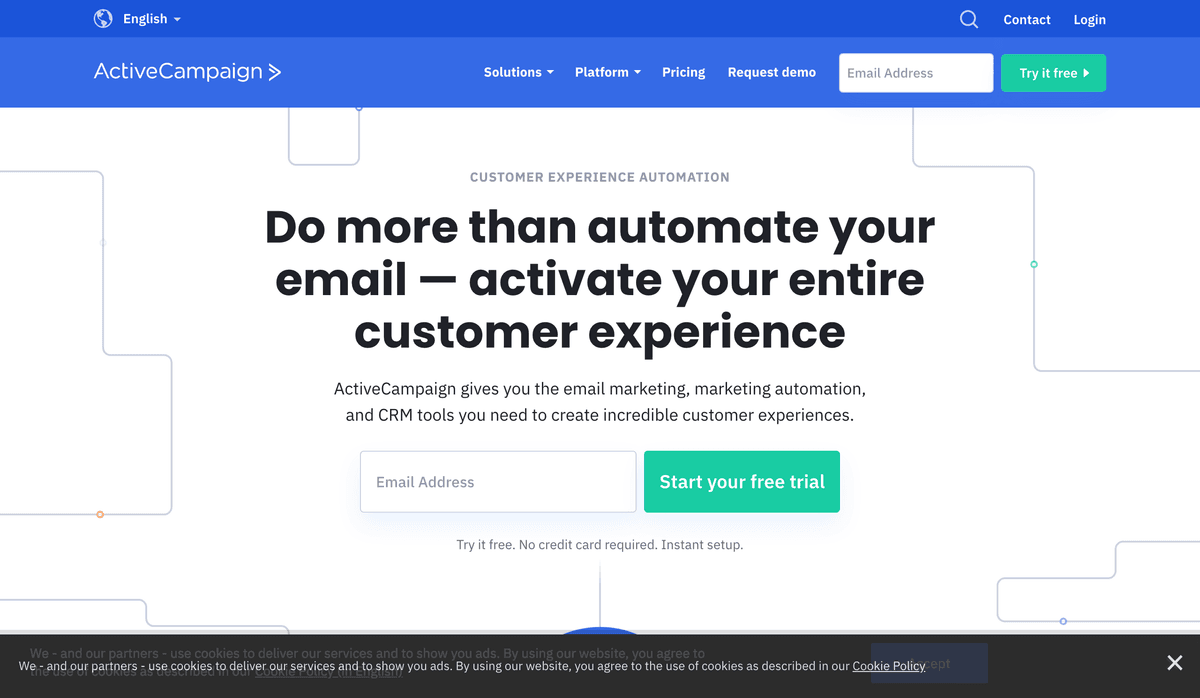
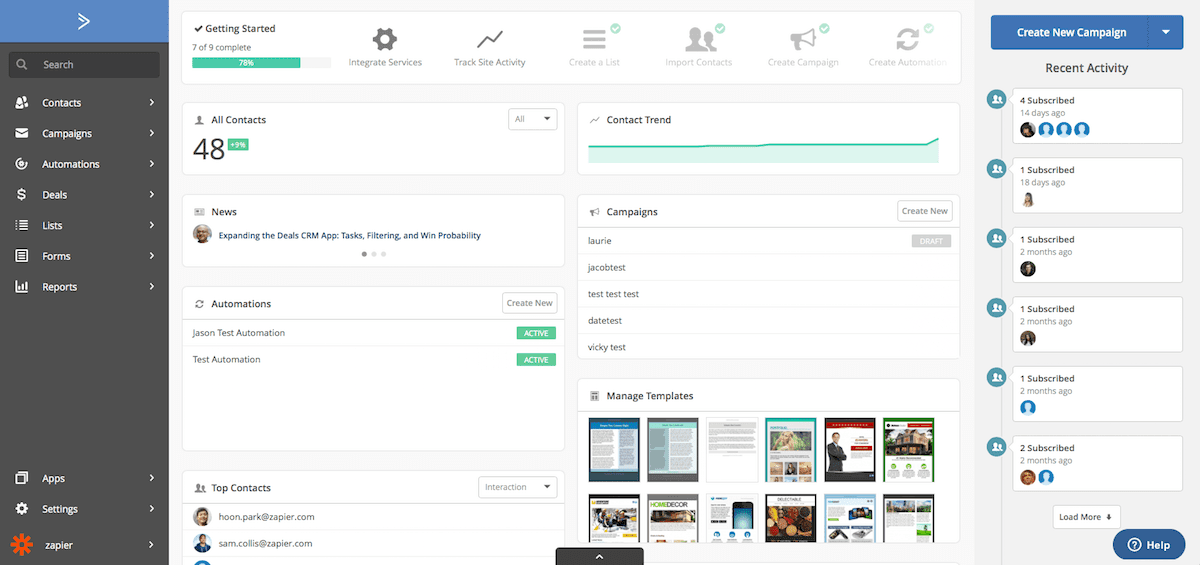
ActiveCampaign combines all aspects of email marketing into a single and easy-to-use platform. Seamlessly create beautiful and engaging emails, send them to your segmented subscribers, and see what interactions and reactions occur in real time! Email marketing remains one of the best marketing options for positive returns on your investment.
Features
- Use email marketing to build your lead list with integrated marketing automation and CRM tools
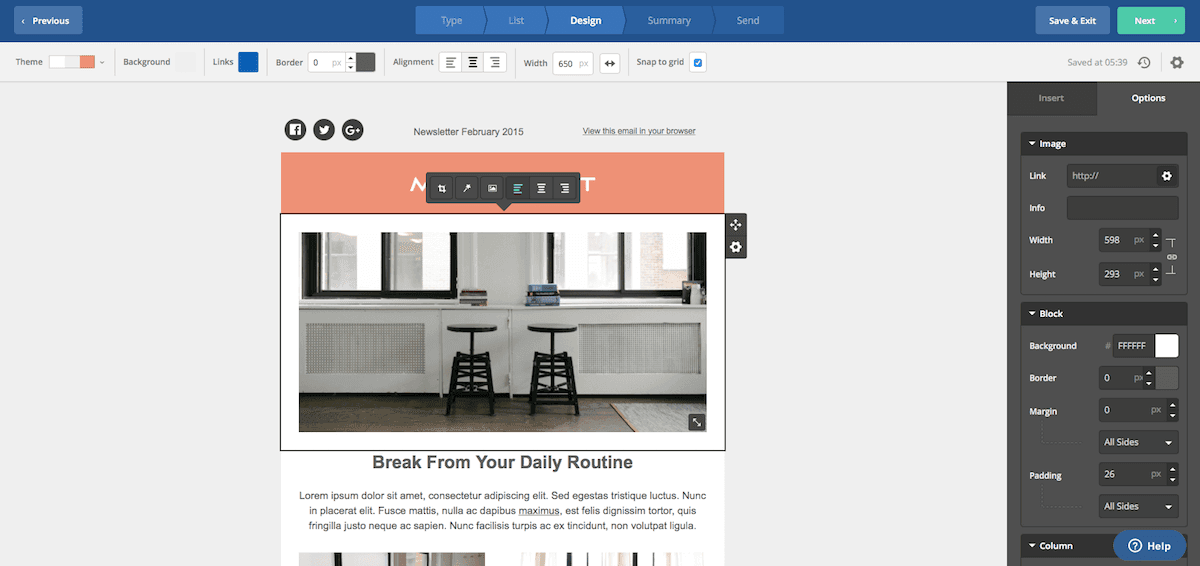
- Build emails with drag-and-drop email editor for one-off campaigns, RSS powered lists, or email automation
- Segment lists based on CRM data
- Track deals with kanban board, and include custom details to track everything important to your sales
- Track your contacts events on your site and in emails to score leads
- Build customized automated marketing workflows
- iOS app for managing deals
Pricing
Starts at $15/month for small contact lists. Pricing varies by contact count and products/features. Current pricing.
ActiveCampaign operations on Zapier
Triggers (22)
Start a workflow when this happens
- Contact Added to List — Triggers whenever a contact is added to a list.
- Contact Completed WhatsApp Messaging Flow — Triggers when a contact completes a WhatsApp messaging flow.
- Contact Joined Inbound WhatsApp Messaging Flow — Triggers when a contact sends a message that starts an inbound WhatsApp messaging flow.
- Custom Object Record Deleted — Triggers when a custom object record is deleted in ActiveCampaign
- Deal Task Completed — Triggers when a deal task has been completed.
Show 17 more triggers
- New Automation Webhook — Triggers when an automation sends out webhook data. To add a webhook in ActiveCampaign, navigate to your Automations section, add or edit an automation, and create a new "Webhook" action.
- New Campaign Bounce — Triggers when a contact email address bounces from a sent campaign.
- New Campaign Link Click — Triggers when a contact clicks a link in a campaign message (will only run once for each unique link).
- New Campaign Open — Triggers when a contact opens a campaign (will trigger once per contact per campaign).
- New Campaign Starts Sending — Triggers when a new campaign starts sending.
- New Campaign Unsubscribe — Triggers when a contact unsubscribes as a result of a campaign email sent to them.
- New Contact — Triggers when a new contact is created.
- New Contact Note — Triggers when a new contact note is added.
- New Contact Task — Triggers when a new contact task is created.
- New Deal Added or Updated — Triggers when a new deal is created or existing deal is updated.
- New Deal Note — Triggers when a new deal note is created.
- New Deal Task — Triggers when a new deal task is created.
- New or Updated Account — Triggers when a new account is added or an existing account's details are updated.
- New or Updated Contact — Triggers when a new contact is created or an existing contact's details are updated.
- New or Updated Custom Object Record — Triggers when a Custom Object record is created or updated.
- Tag Added or Removed From Contact — Triggers when a a Tag is added or removed from a Contact
- Updated Contact — Triggers when an existing contact details are updated.
Actions (23)
Things Salesflare can make it do
- API Request (Beta) — This is an advanced action which makes a raw HTTP request that includes this integration's authentication.
- Add Contact Note — Adds new contact note.
- Add Contact to Account — Adds a contact to an ActiveCampaign account
- Add Existing Contact to Automation — Adds an existing contact into any automation.
- Add Note to Deal — Adds a note to a deal.
Show 18 more actions
- Add Secondary Contact to Deal — With a deal ID and a contact ID set the corresponding contact as a secondary on the deal. Optionally set the role. If the Deal has no Primary contact set, this contact will be set as Primary if you DO NOT select a role.
- Add/Remove Tag From Contact — Add or remove a tag from a Contact
- Create Account — Creates a new account.
- Create Campaign — Creates and sends a new campaign.
- Create Deal — Creates a new deal.
- Create Deal (Deprecated) — Creates a new deal.
- Create Tracked Event — Creates a custom website or application event.
- Create or Update Account — Creates a new account or updates an existing account.
- Create or Update Contact — Creates a new contact, or updates an existing contact.
- Create or Update Contact Task — Creates or updates a contact task
- Create or Update Deal Task — Creates or updates a deal task
- Create or Update a Custom Object Record — Creates a new custom object record or update an existing record
- Remove Contact From Automation — The contact will be removed from this active automation
- Send a WhatsApp Template — Send a Whatsapp approved template to any number
- Start a WhatsApp Messaging Flow for a Phone Number — Start an outbound WhatsApp messaging flow for a phone number.
- Subscribe or Unsubscribe Contact From List — Subscribes a Contact to a List it is not currently associated with, or Unsubscribes a Contact from a list is currently associated with.
- Update Account — Updates an account.
- Update Deal — Updates an existing deal.
Searches (10)
Look up existing records
- Find Account — Finds account by name.
- Find Contact — Finds a contact by email address, ID, or phone.
- Find Contact Task — Finds a contact task.
- Find Deal — Finds an existing deal by title or email.
- Find Deal Owner — Looks for a Deal and if found, returns the User that owns the Deal
Show 5 more searches
- Find Deal Task — Finds a deal task.
- Find Deals by Filter — Finds deals matching any combination of pipeline, stage, owner, status, and title. At least one filter is required, and all provided filters must match.
- Find Deals by Secondary Contact — Finds deals associated with a given secondary contact.
- Find User — Finds a user by email address.
- WhatsApp Template — Search for a WhatsApp Template to use.
ActiveCampaign operations on Make
Triggers (6)
Start a workflow when this happens
- Watch Accounts — Triggers when an account is created or updated.
- Watch Calendar Feeds — Triggers when a new calendar feed is created/updated.
- Watch Contacts — Triggers when a new contact is created.
- Watch Deals — Triggers when a deal is created.
- Watch Events — Triggers when a new event is fired.
Show 1 more triggers
- Watch Tasks — Triggers when a new task is assigned to a deal.
Actions (32)
Things Salesflare can make it do
- Add a Contact to an Automation — Adds a contact to an automation.
- Add a Tag to a Contact — Adds a tag to a contact.
- Create a Deal — Creates a new deal.
- Create a Deal Note — Creates a new note for a deal..
- Create a Message — Creates a message.
Show 27 more actions
- Create a New Event — Creates a new tracking event (name only).
- Create a Note — Adds a note to an activity, a deal, a deal task or to a subscriber.
- Create an Account — Creates a new account.
- Create or Update Custom Object Records — Creates or updates Custom Object values for specific record by its ID or External ID. If no valid ID or External ID is provided, a new record will be created.
- Create or Update a Contact — Creates or updates contact. If a contact with the same email exists, it will be updated.
- Create/Update a Calendar Feed — Creates or updates a calendar feed.
- Create/Update a Task — Creates a new task or updates an existing task.
- Delete a Calendar Feed — Deletes a calendar feed.
- Delete a Contact — Deletes an existing contact.
- Delete a Deal — Deletes an existing deal.
- Delete a Task — Deletes an existing task.
- Delete an Account — Deletes an existing account.
- Enable/Disable Event Tracking — Enables or disables event tracking.
- Get Current User — Gets information about logged-in user
- Get a Campaign — Retrieves a campaign.
- Get a Contact — Retrieves a contact.
- Get a Deal — Returns a deal.
- Get an Account — Retrieves an existing account.
- Get an Automation a Contact Is in — Retrieves an automation a contact is in.
- Make a Legacy API Call — Performs an arbitrary authorized legacy API call.
- Make an API Call — Performs an arbitrary authorized API call.
- Move Deals to Another Deal Stage — Moves all deals in one stage to another stage.
- Remove a Contact from an Automation — Removes a contact from an automation.
- Remove a Tag from a Contact — Removes a tag from a contact.
- Update Contact's List Status — Updates list status for a contact.
- Update a Contact — Updates a contact by its ID.
- Update a Deal — Updates a deal by its ID.
Searches (8)
Look up existing records
- List Accounts — Retrieves a list of existing accounts.
- List All Automations a Contact Is in — Retrieves a list of automations a contact is in.
- List Automations — Retrieves a list of automations in the system.
- List Campaigns — Retrieves a list of campaigns.
- List Custom Object Records — Lists all records for specific Custom Objects.
Show 3 more searches
- List Deals — Retrieves a list of deals.
- List Organizations — Retrieves a list of organizations.
- Search Contacts — Retrieves a list of contacts.
Screenshots
Similar apps
 Salesflare Email Workflows
 Send email sequences & automated emails from Salesflare
 MailChimp
 Turn Emails into Revenue.
 Drip
Drip Lightweight marketing automation.
 Emailable
 Simple and reliable email verification solutions.
 StoryChief
 Content Marketing Automation
 LeadFuze
 Smarter, Faster, and Automated Sales Prospecting.
Not using Salesflare yet?
Salesflare is a CRM for small and medium-sized B2B businesses — it fills itself in automatically so your team actually keeps it up to date.
Try it for free