


DocuSign and Salesflare
Most widely used e-signature software.
How to connect DocuSign
- Via Zapier — 84 operations available. Set it up ↗
- Via Make — 75 modules available. Set it up ↗
What you can automate
- When recipient Completed in DocuSign, find or create contact in Salesflare.
About DocuSign
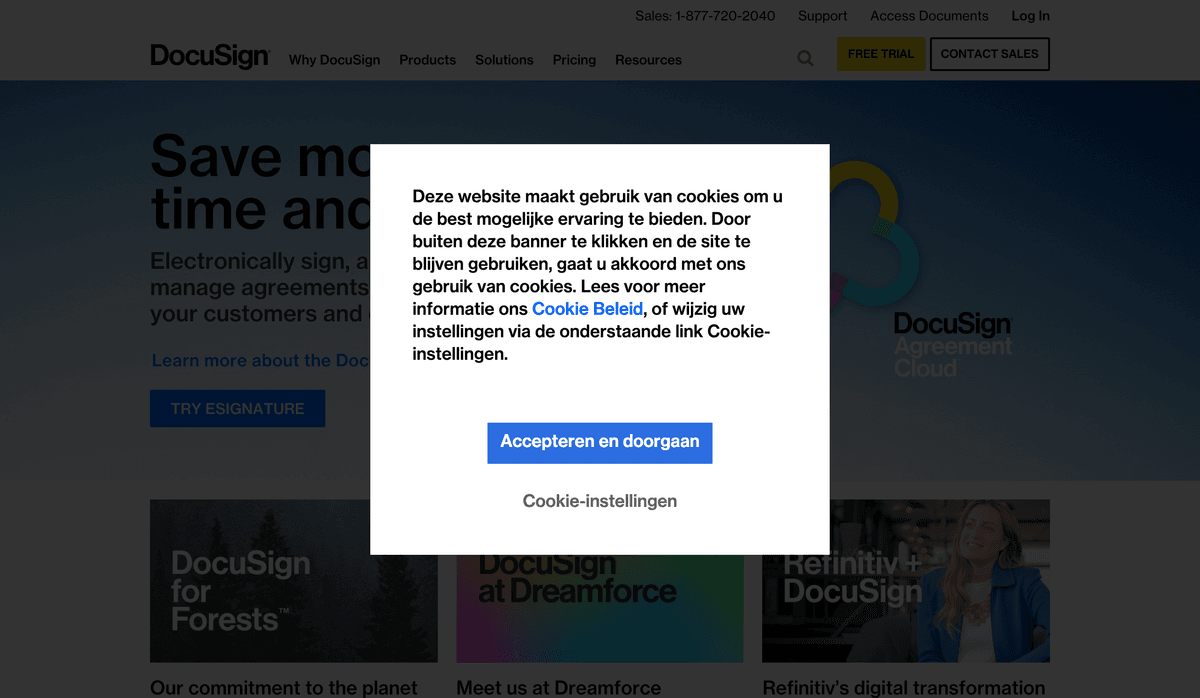
As the most widely used e-signature software, DocuSign makes it easy to securely sign and send documents online from any device.
Features
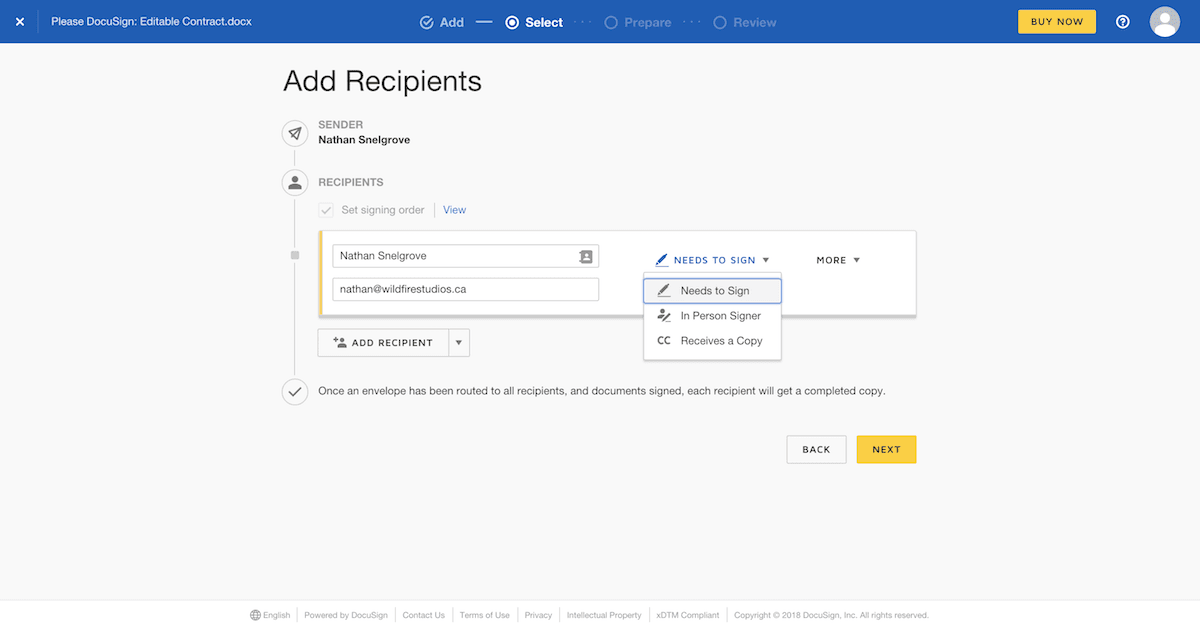
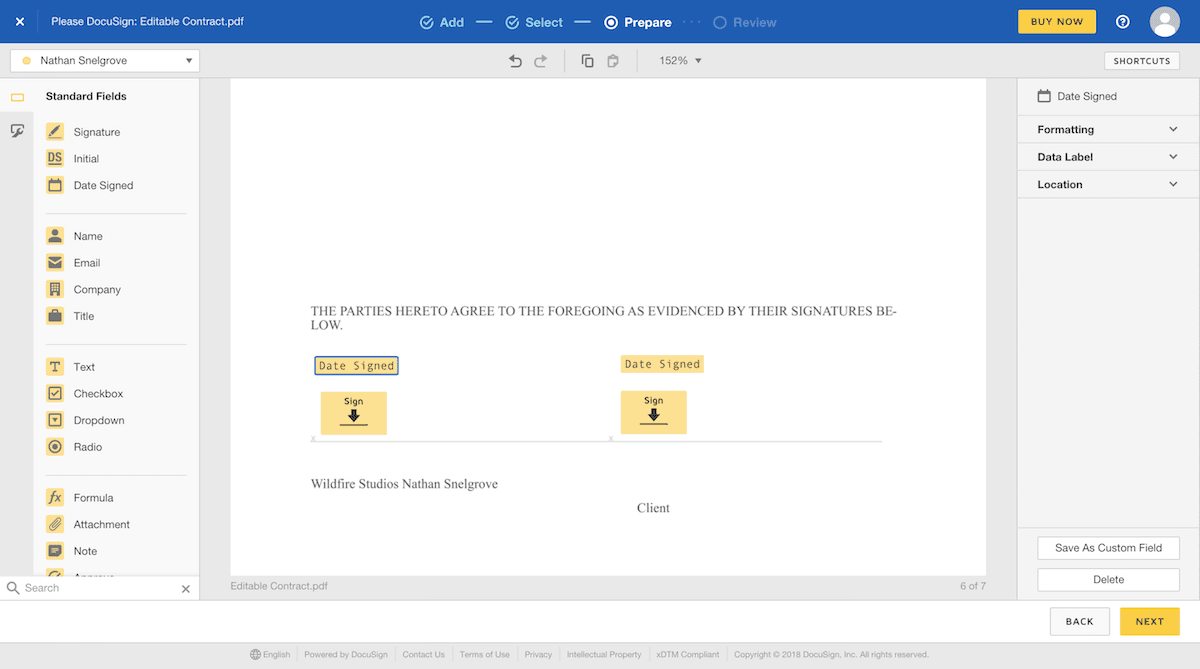
- Send documents securely using Docusign’s platform to get them signed anywhere
- Customize your documents with personalized branding
- Get notified when documents are signed, and store all your important signed documents in one place
- Collect payments for any documents with Stripe, PayPal, and Authorize.net integration
- Android, iOS, Windows, and Web apps available
Pricing
Personal: $10/month. Standard: $25/user/month billed annually. Business Pro: $40/user/month billed annually. Regional pricing can differ. Current pricing.
DocuSign operations on Zapier
Triggers (41)
Start a workflow when this happens
- Click Agreed — Triggers when a recipient accepted a clickwrap agreement.
- Click Declined — Triggers when a recipient declined a clickwrap agreement.
- Envelope Completed — Triggers when an envelope is completed.
- Envelope Corrected — Triggers when an envelope is corrected.
- Envelope Created — Triggers when an envelope is created.
Show 36 more triggers
- Envelope Declined — Triggers when an envelope is declined.
- Envelope Deleted — Triggers when an envelope is deleted.
- Envelope Delivered — Triggers when an envelope is delivered.
- Envelope Discard — Triggers when an envelope is discarded.
- Envelope Purge — Triggers when an envelope is purged.
- Envelope Resent — Triggers when an envelope is resent.
- Envelope Sent — Triggers when an envelope is sent.
- Envelope Status Updated — Triggers when an envelope is sent, completed, signed, voided, or declined. When this step triggers, Zapier will temporarily store documents in your envelope for processing and replaying in later Zap steps and data associated with the selected envelope. Some data may be unavailable if you do not have full access to the envelope.
- Envelope Voided — Triggers when an envelope is voided.
- Identity Verification Completed — Triggers when a decision has been made regarding the signer's identity verification check for an eIDAS-compliant Qualified Electronic Signature (QES) and they have been notified. If the signer's identity verification check resulted in a failure, the event message includes the specific error codes indicating why it was unsuccessful.
- Identity Verification Pending — Triggers when a signer completed the identity verification process for an eIDAS-compliant Qualified Electronic Signature (QES), but the result is still pending.
- New Agreement (For IAM Plans) — Triggers when a new Agreement Manager agreement is created. Only available for Docusign IAM Plans.
- New Docusign Connect Event — Triggers when selected Docusign events occur.
- New Folder — Triggers when a new folder is created.
- New User Added to Workspace (For IAM Plans) — Triggers when a new user is added to a workspace. Only available for Docusign IAM Plans.
- New Workspace (For IAM Plans) — Triggers when a new workspace is created. Only available for Docusign IAM Plans.
- Recipient Authentication Failed — Triggers when a recipient failed an authentication check. If they had multiple attempts to pass a check, they failed all the attempts.
- Recipient Autoresponded — Triggers when a recipient’s email account sent an automated response to an envelope notification.
- Recipient Completed — Triggers when a recipient signed or completed their actions for an envelope.
- Recipient Declined — Triggers when a recipient declined to sign.
- Recipient Delegated — Triggers when a delegation rule is in place and an envelope is sent to a delegated signer.
- Recipient Delivered — Triggers when a recipient viewed the documents through the Docusign signing website. This event does not signify email or SMS delivery of an envelope.
- Recipient Marked to Finish Later — Triggers when a recipient selected OTHER ACTIONS > Finish Later for an envelope.
- Recipient Reassigned — Triggers when a recipient reassigned an envelope.
- Recipient Resent — Triggers when an envelope was resent to a specific recipient.
- Recipient Sent — Triggers when a notification that it's their turn to sign was sent to the recipient.
- SMS Opt-In — Triggers when a recipient opted in to receiving SMS notifications for an envelope.
- SMS Opt-Out — Triggers when a recipient opted out of receiving SMS notifications for an envelope.
- Template Created — Triggers when a template is created.
- Template Deleted — Triggers when a template is deleted.
- Template Modified — Triggers when a template is modified.
- Updated Agreement (For IAM Plans) — Triggers when an existing Agreement Manager agreement is updated. Only available for Docusign IAM Plans.
- Workflow Completed (For IAM Plans) — Triggers when a Workflow Builder workflow completes. Only available for Docusign IAM Plans.
- Workflow Failed (For IAM Plans) — Triggers when a Workflow Builder workflow fails. Only available for Docusign IAM Plans.
- Workflow Started (For IAM Plans) — Triggers when a Workflow Builder workflow starts. Only available for Docusign IAM Plans.
- Workspace Documents (For IAM Plans) — Fetches documents from a workspace for selection. Only available for Docusign IAM Plans.
Actions (34)
Things Salesflare can make it do
- API Request — This is an advanced action which makes a raw HTTP request that includes this integration's authentication.
- Add Document to Workspace (For IAM Plans) — Uploads and adds a document to a workspace for organization and collaboration. Only available for Docusign IAM Plans.
- Add User to Workspace (For IAM Plans) — Adds a user to a workspace with specified permissions. Only available for Docusign IAM Plans.
- Add to Bulk Send List — Adds new recipients to an existing bulk send list.
- Bulk Send Envelope From Template — Sends a template to multiple recipients using a bulk send list.
Show 29 more actions
- Cancel Workflow Instance (For IAM Plans) — Cancels a running workflow instance. Only available for Docusign IAM Plans.
- Create Bulk Send List — Creates a new bulk send list with multiple recipients.
- Create Draft Signature Request — Creates a draft signature request.
- Create Envelope From Workspace (For IAM Plans) — Creates an envelope associated with the workspace. Envelope recipients will automatically be granted Participate access to the workspace. Only available for Docusign IAM Plans.
- Create Envelope with Base URL and Account ID Input — Create a Docusign envelope with essential custom fields, a document as a base64 file, template, and recipient details, using direct input fields for the base URL and account ID.
- Create Pre-Filled Webform Link — Creates a pre-filled webform link.
- Create Signature Request — Creates a signature request.
- Create Template From Document — Creates a new template using a document.
- Create Workspace (For IAM Plans) — Creates a new workspace for organizing documents, participants, and agreement workflows. Only available for Docusign IAM Plans.
- Delete Document From Workspace (For IAM Plans) — Removes a document from a workspace permanently. Only available for Docusign IAM Plans.
- Download Envelope Document — Downloads a document from an envelope.
- Find Documents in Workspace (For IAM Plans) — Lists and searches documents within a specific workspace. Only available for Docusign IAM Plans.
- Find Envelope Documents — Retrieves a list of documents associated with an envelope.
- Find Template — Finds a template by name.
- Find Template Documents — Retrieves a list of documents associated with a template.
- Find Workspaces (For IAM Plans) — Searches for workspaces by name. Only available for Docusign IAM Plans.
- List Envelopes in Workspace (For IAM Plans) — Lists all envelopes created from a workspace. Only available for Docusign IAM Plans.
- List Users in Workspace (For IAM Plans) — Lists all users in a workspace with their roles and permissions. Only available for Docusign IAM Plans.
- Pause Workflow Instance (For IAM Plans) — Pauses a running workflow instance. Only available for Docusign IAM Plans.
- Restore Workspace User Access (For IAM Plans) — Restores a user's access to a workspace by re-adding them. Only available for Docusign IAM Plans.
- Resume Workflow Instance (For IAM Plans) — Resumes a paused workflow instance. Only available for Docusign IAM Plans.
- Revoke Workspace User Access (For IAM Plans) — Removes a user's access to a workspace. Only available for Docusign IAM Plans.
- Send Envelope Using Document — Sends an envelope signature request using a document.
- Send Envelope Using Template — Sends a envelope signature request using a template.
- Test Bulk Send Request — Tests if a template can be sent to a bulk send list.
- Trigger Workflow (For IAM Plans) — Triggers a Workflow Builder workflow. Only available for Docusign IAM Plans.
- Update Template — Updates an existing template with new documents and recipients.
- Update Workspace User (For IAM Plans) — Updates a user's role or status in a workspace. Only available for Docusign IAM Plans.
- Void Envelope — Voids an existing envelope.
Searches (9)
Look up existing records
- Find Agreement (For IAM Plans) — Finds Agreement Manager agreements that match the search criteria. Only available for Docusign IAM Plans.
- Find Custom Fields for Envelope — Retrieves custom fields (text and list fields) for a specific envelope by ID. Use this search when you need to fetch custom field data without triggering hydration timeouts in your trigger steps.
- Find Documents List for Envelope — Retrieves a list of documents associated with an envelope by ID, with downloadable file URLs. Use this search when you need to fetch document metadata and download links without triggering hydration timeouts in your trigger steps.
- Find Envelope Info — Retrieves metadata and timing information for a specific envelope by ID, including email subject/message, timestamps, and status. Use this search when you need to fetch envelope information without triggering hydration timeouts in your trigger steps.
- Find Form Data for Envelope — Retrieves form field data for a specific envelope by ID. Use this search when you need to fetch form data without triggering hydration timeouts in your trigger steps. Note: The "Allow sender to download form data" setting must be enabled in DocuSign (https://admin.docusign.com/sending-settings).
Show 4 more searches
- Find Recipients for Envelope — Retrieves all recipients (signers, agents, editors, carbon copies, etc.) for a specific envelope by ID. Use this search when you need to fetch recipient data without triggering hydration timeouts in your trigger steps.
- Find Workflow (For IAM Plans) — Finds Workflow Builder workflows that match the search criteria. Only available for Docusign IAM Plans.
- Find Workflow Instance (For IAM Plans) — Finds Workflow Builder instances for a specific workflow. Only available for Docusign IAM Plans.
- Get Agreement (For IAM Plans) — Retrieves a single Agreement Manager agreement by its ID. Only available for Docusign IAM Plans.
DocuSign operations on Make
Triggers (35)
Start a workflow when this happens
- Watch Click Agreed — Sent after a recipient accepts an elastic template.
- Watch Click Declined — Sent after a recipient declines an elastic template.
- Watch Docusign Connect Event — Triggers when one of the selected events are fired in Docusign
- Watch Envelope Completed — Triggers when an envelope has been completed.
- Watch Envelope Corrected — Sent when the envelope is correctedcorrected, opens in new window within the UI or via any of the Envelopes/EnvelopesRecipients API calls.
Show 30 more triggers
- Watch Envelope Created — This event is sent when an envelope is created through the DocuSign eSignature UI or when an envelope's status is set to "created" after an Envelopes:create API call.
- Watch Envelope Declined — The envelope has been declined by one of the recipients.
- Watch Envelope Deleted — This event is sent after an already-sent envelope is deleted, opens in new window.
- Watch Envelope Delivered — This event is sent when all recipients have opened the envelope through the DocuSign signing website. This does not signify an email delivery of an envelope.
- Watch Envelope Discard — Sent when an envelope in created or draft state is deleted or discarded within the tagging UI.
- Watch Envelope Purged — Sent when the envelope is queued to be purged, opens in new window or via the Envelopes:update API call.
- Watch Envelope Resent — Sent when the envelope is resent, opens in new window within the UI or via the Envelopes:update API call.
- Watch Envelope Sent — This event is sent when the email notification, with a link to the envelope, is sent to at least one recipient or when it is a recipient's turn to sign during embedded signing. The envelope remains in this state until all recipients have viewed the envelope.
- Watch Envelope Voided — The envelope has been voided by the sender or has expired. The void reason indicates whether the envelope was manually voided or expired.
- Watch New Agreement (for IAM Plans) — Triggers when a new Agreement Manager agreement is created. Only available for Docusign IAM plans.
- Watch New Documents added to Workspace (for IAM Plans) — Triggers when a new document is added to a specific workspace. Only available for Docusign IAM Plans.
- Watch New User Added to Workspace (for IAM Plans) — Triggers when a new user is added to a specific workspace. Only available for Docusign IAM Plans.
- Watch New Workspace (for IAM Plans) — Triggers when a new workspace is created. Only available for Docusign IAM Plans.
- Watch Recipient Auto Responded — Sent when DocuSign gets notification that an email delivery has failed. The delivery failure could be for a number of reasons, such as a bad email address or that the recipient’s email system auto-responds to the email from DocuSign.
- Watch Recipient Completed — Sent when the recipient has completed their actions for the envelope, typically (but not always) by signing.
- Watch Recipient Declined — Sent when the recipient declines to sign the document(s) in the envelope.
- Watch Recipient Delegate — Sent after a Delegation rule is in place and when a delegated signer is sent an envelope within the UI or the API.
- Watch Recipient Delivered — Sent when the recipient has viewed the document(s) in an envelope through the DocuSign signing web site. This does not signify an email delivery of an envelope.
- Watch Recipient Marked Finish Later — Sent when the recipient selects Finish Later on an envelope.
- Watch Recipient Reassign — Sent when the envelope is reassigned by a recipient within the UI.
- Watch Recipient Resent — Triggered when an envelope is resent to a recipient within the web application or using the EnvelopeRecipients : update API call.
- Watch Recipient Sent — This event is sent when an email notification is sent to the recipient signifying that it is their turn to sign an envelope.
- Watch Template Created — Sent when a template is createdtemplate is created, opens in new window within the UI or via the Templates:create API call.
- Watch Template Deleted — Sent when a template is deleted within the UI or via the recycle bin API call recycle bin API call, opens in new window.
- Watch Template Modified — Sent when a template is modified within the UI or via the Templates:update API call.
- Watch Updated Agreement (for IAM Plans) — Triggers when an existing Agreement Manager agreement is updated. Only available for Docusign IAM plans.
- Watch Workflow Completed (for IAM Plans) — Triggers when a Workflow Builder workflow completes. Only available for Docusign IAM Plans.
- Watch Workflow Failed (for IAM Plans) — Triggers when a Worflow Builder workflow fails. Only available for Docusign IAM Plans.
- Watch Workflow Started (for IAM Plans) — Triggers when a Workflow Builder workflow started. Only available for Docusign IAM Plans.
- [Deprecated] Watch Events — Triggers when an envelope or recipient status is changed.
Actions (28)
Things Salesflare can make it do
- Add User to Workspace (for IAM Plans) — Adds a user to a workspace. Only available for Docusign IAM Plans.
- Add document to Workspace (for IAM Plans) — Adds a new document to a workspace. Only available for Docusign IAM Plans.
- Add to Bulk Send List — Adds a recipient to the bulk send list
- Bulk Send Envelope from Template — Sends envelopes based on a template to multiple recipients using a bulk send list.
- Cancel Workflow Instance (for IAM Plans) — Cancels a running Workflow Builder workflow instance. Only available for Docusign IAM Plans.
Show 23 more actions
- Create Bulk Send List — Creates a bulk send list
- Create Envelope from Workspace (for IAM Plans) — Creates an envelope using files of a selected workspace. Only available for Docusign IAM Plans.
- Create Long-lived Pre-filled Webform Link — Creates a long-lived pre-filled webform link (less secure, infinite duration)
- Create Short-lived Pre-filled Webform Link — Creates a secure Session Link for the filled webform (more secure, shorter duration)
- Create Signing Groups — Creates a signing group.
- Create Template from Document — Creates a new template using a document.
- Create Workspace (for IAM Plans) — Creates a new Workspace. Only available for Docusign IAM Plans.
- Delete Workspace Document (for IAM Plans) — Deletes a document in a workspace. Only available for Docusign IAM Plans.
- Download a Document — Downloads a document from a specified envelope.
- Get an Envelope Form Data — Gets the content of an envelope form data
- Get an Envelope Status — Retrieves the overall status for the specified envelope.
- Make an API Call — Performs an arbitrary authorized API call.
- Pause Workflow Instance (for IAM Plans) — Pauses a Workflow Builder workflow instance. Only available for Docusign IAM Plans.
- Restore Workspace User Access (for IAM Plans) — Restores the workspace access to a user. Only available for Docusign IAM Plans.
- Resume Workflow Instance (for IAM Plans) — Resumes a paused Workflow Builder workflow instance. Only available for Docusign IAM Plans.
- Revoke Workspace User Access (for IAM Plans) — Revokes a user's access to a workspace. Only available for Docusign IAM Plans.
- Send a Document from Template to Sign — Creates and sends an envelope using a selected template.
- Send a Document to Sign — Sends an envelope with a document to be signed.
- Test Bulk Send List — Tests a bulk send list
- Trigger Workflow (for IAM Plans) — Triggers a Workflow Builder workflow. Only available for Docusign IAM Plans.
- Update Template — Updates a template
- Update Workspace User (for IAM Plans) — Updates a workspace user. Only available for Docusign IAM Plans.
- Void an Envelope — Voids an envelope
Searches (12)
Look up existing records
- List Documents in Workspace (for IAM Plans) — Lists documents in a workspace. Only available for Docusign IAM Plans.
- List Envelope Documents — Lists all documents from an envelope
- List Envelopes in workspace (for IAM Plans) — List the envelopes of a workspace. Only available for Docusign IAM Plans.
- List Signing Groups — Gets a list of the Signing Group in an account.
- List Template Documents — Lists template documents
Show 7 more searches
- List Templates — Lists templates
- List Workspaces (for IAM Plans) — Lists workspaces. Only available for Docusign IAM Plans.
- List users in Workspace (for IAM Plans) — Lists all users in a workspace. Only available for Docusign IAM Plans.
- Search Agreements (for IAM Plans) — Searches for Agreement Manager agreements. Only available for Docusign IAM Plans.
- Search Envelopes — Searches for envelopes.
- Search Workflow (for IAM Plans) — Searches Workflow Builder workflows that match the search criteria. Only available for Docusign IAM Plans.
- Search Workflow Instance (for IAM Plans) — Searches a Workflow Builder workflow instance. Only available for Docusign IAM Plans.
Screenshots
Similar apps
 SignNow
 Secure and easy electronic signature solution.
 eSignatures.com
 eSignatures.com is an AI-friendly e-signature platform for managing Markdown contracts, signers…
 SignRequest
 SignRequest is an electronic (digital) signature solution to get documents signed. Easy, fast, s…
 SignWell
 SignWell is a secure electronic signature platform for an intuitive, faster, and affordable lega…
 Zoho Sign
 Zoho Sign is a complete digital signature app for generating and managing legally binding busine…
 Dropbox Sign
 Dropbox Sign is a brand new way to collect signatures and send important documents from an easy…
Not using Salesflare yet?
Salesflare is a CRM for small and medium-sized B2B businesses — it fills itself in automatically so your team actually keeps it up to date.
Try it for free