


GetProspect and Salesflare
Lead generation tool with email finder.
How to connect GetProspect
- Via Zapier — 12 operations available. Set it up ↗
- Via Make — 6 modules available. Set it up ↗
What you can automate
- When new Saved Company in GetProspect, find or create account in Salesflare.
- When new Saved Person in GetProspect, find or create contact in Salesflare.
About GetProspect
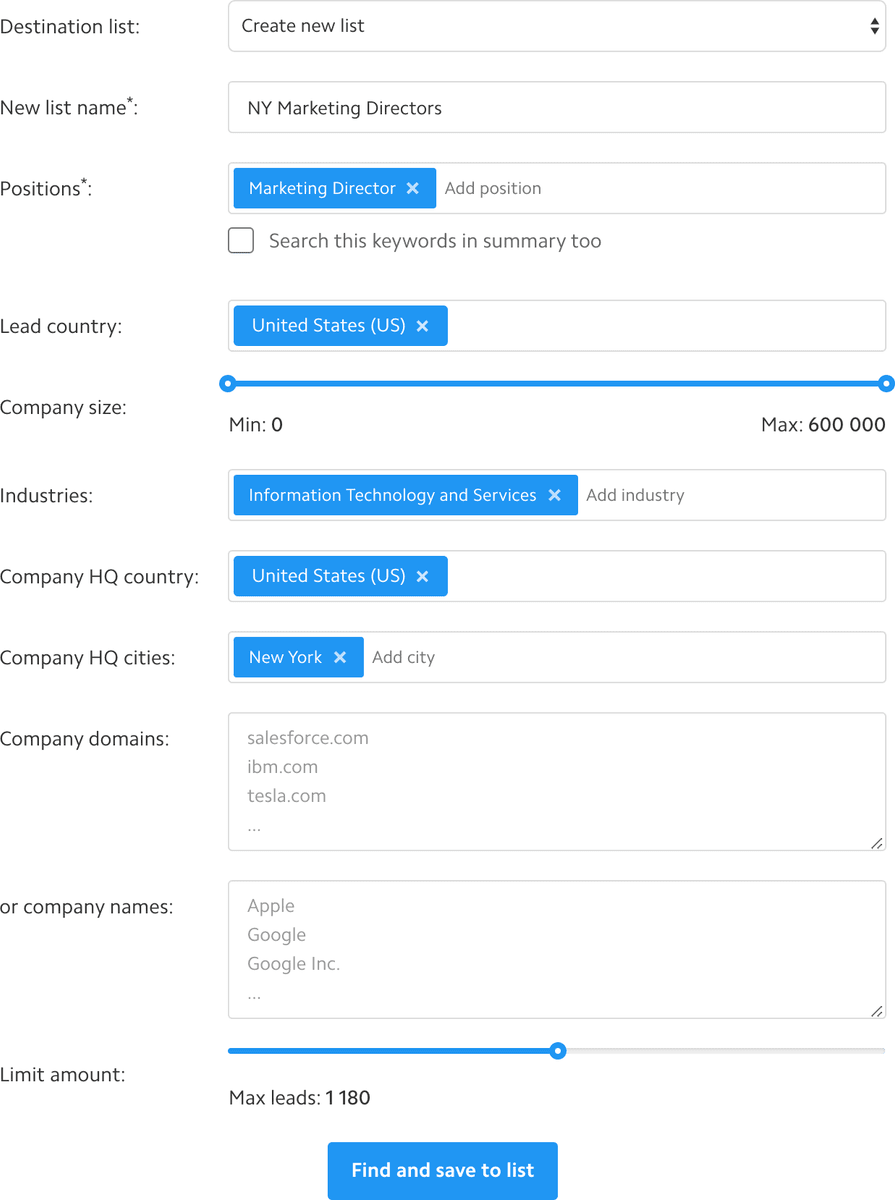
GetProspect is a lead generation tool with email finder.
Features
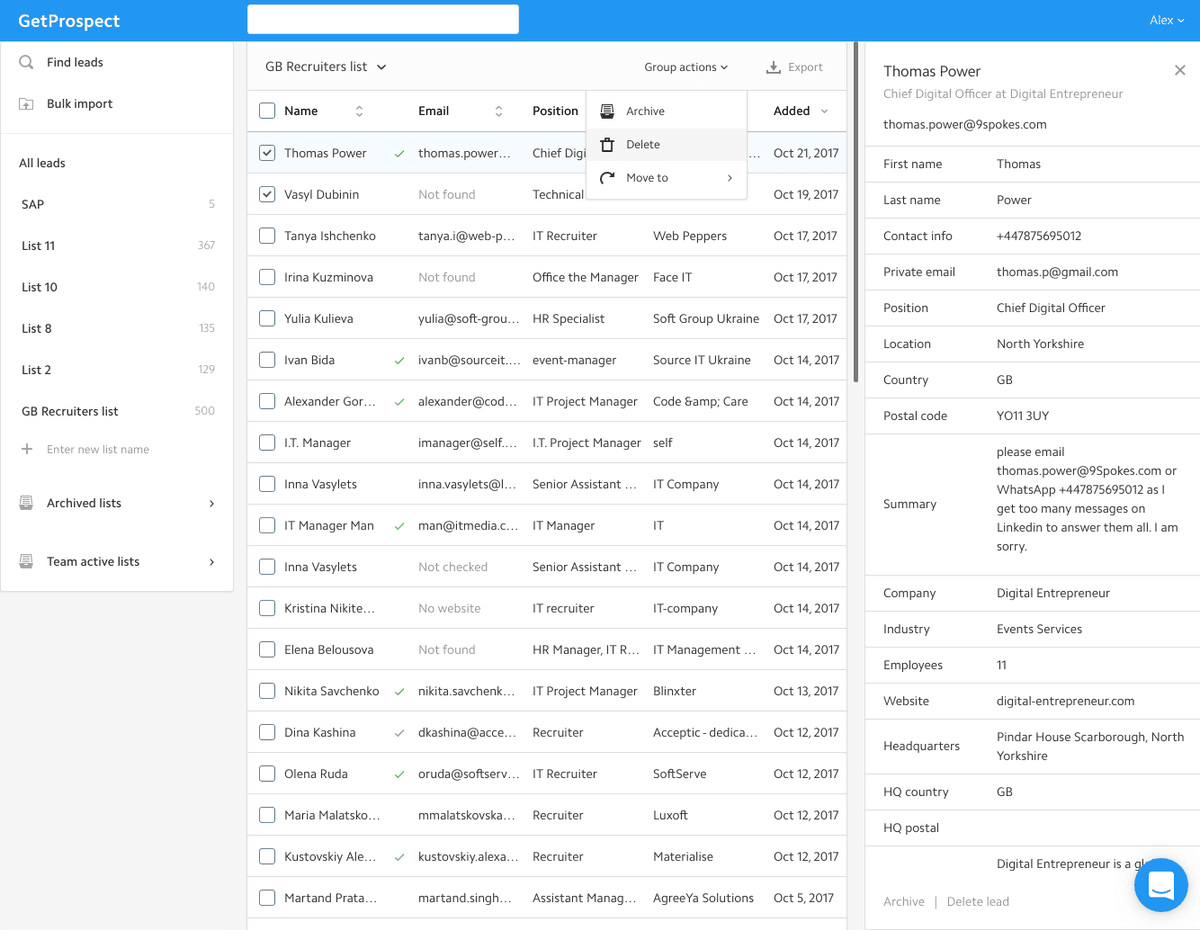
- Lists: Group your extracted profiles into lists. Order by name, company, position, etc.
- Integrations: Export or import your prospects to your favorite apps like Linkedin, Salesforce, Pipedrive, GMail.
- Team: Invite your team members to share your plan and found prospects.
- Export to XLS: Export found contacts to XLS file with extracted emails and other info.
- Bulk import: Import file with names and company to find emails in bulk.
- Company Info: Get info about a company such as a website, employee's amount, address.
GetProspect operations on Zapier
Triggers (2)
Start a workflow when this happens
- New Saved Company — Triggers when a company is saved in GetProspect, optionally only into a chosen list.
- New Saved Person — Triggers when a person is saved in GetProspect, optionally only into a chosen list.
Actions (8)
Things Salesflare can make it do
- Create List — Creates a people or company list in GetProspect.
- Enrich Company — Finds a company in GetProspect by domain, LinkedIn URL or name and returns its firmographics.
- Enrich Person — Finds a person in GetProspect by LinkedIn URL, email, or name + company, and returns their profile, work email and (optionally) mobile phone.
- Find Email — Finds a person's work email from their name and company domain (1 email credit when found).
- Find or Create List — Finds a list by name, or creates it.
Show 3 more actions
- Save Company to List — Saves a company into one or more GetProspect lists.
- Save Person to List — Saves a person into one or more GetProspect lists (reveals their stored email, 1 credit when new).
- Verify Email Address — Checks whether an email address is deliverable (1 verification credit).
Searches (2)
Look up existing records
- Find List — Finds a GetProspect list by its exact name.
- Find Person — Looks a person up in GetProspect by LinkedIn URL. Free: nothing is revealed or charged.
GetProspect operations on Make
Actions (5)
Things Salesflare can make it do
- Create a Contact — Creates a new contact.
- Delete a Contact — Deletes a contact specified by ID.
- Get a Contact — Retrieves a contact specified by ID.
- Make an API Call — Performs an arbitrary authorized API call.
- Update a Contact — Updates a contact specified by ID.
Searches (1)
Look up existing records
- Search Contacts — Searches for contacts or lists them all.
Screenshots
Similar apps
 Google Workspace
 Collaboration & Productivity Apps for Business
Popular Native
 Salesflare Email Workflows
 Send email sequences & automated emails from Salesflare
Popular Native
 Drip
Drip Lightweight marketing automation.
Popular Zapier Make
 Microsoft 365
 Complete office suite in the cloud.
Native Zapier
 Autoklose
 Automate your way through the sales process and close more deals faster.
Native Zapier
 Google Contacts
 The address book built into Gmail.
Zapier Make
Not using Salesflare yet?
Salesflare is a CRM for small and medium-sized B2B businesses — it fills itself in automatically so your team actually keeps it up to date.
Try it for free