


Make (formerly Integromat) and Salesflare
Connect Salesflare with your favorite apps to boost productivity
How to connect Make (formerly Integromat)
- Natively — Built directly into Salesflare.
- Via Make — 51 modules available. Set it up ↗
About Make (formerly Integromat)
Make is a powerful, easy-to-use platform that allows you to design, build, and automate manual processes involving Salesflare CRM and the other apps your business depends on. Connect Salesflare with your favorite apps, services, and devices to streamline workflows without any need for programming skills.
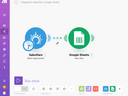
To start the process, simply log in to Make, authorize your app, and start creating workflows called scenarios by connecting app connectors called modules. Make’s visual builder will help you connect Salesflare with Google, Typeform, Cognito Forms, and many other apps to see better sales results for your efforts.
Features
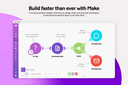
Use the playful drag-and-drop interface to connect to thousands of integrated apps, or any API via generic HTTP connector — without coding, just in a few clicks. Integrate an infinite number of apps and steps in a single workflow.
Schedule your workflow to execute whenever you need. Build complex workflows with Make’s powerful no-code toolkit, which includes advanced features like conditional logic, error handling, execution history log, and more.
Pricing
Free: 1,000 credits/month. Paid Core, Pro, and Teams plans scale mainly by monthly credit volume; Make now uses credit-based billing. Current pricing.
Make (formerly Integromat) operations on Make
Triggers (1)
Start a workflow when this happens
- Watch scenarios — Triggers when a scenario is created or updated in the specified folder.
Actions (36)
Things Salesflare can make it do
- Create a scenario — Creates a new scenario.
- Create a scenario folder — Creates a new scenario folder.
- Create a team — Creates a new team.
- Create or update a connection — Creates or updates a connection in a custom app.
- Create or update a custom IML function — Creates or updates a custom IML function in a custom app.
Show 31 more actions
- Create or update a custom app — Creates a custom app.
- Create or update a module — Creates or updates a module in a custom app.
- Create or update a webhook — Creates or updates a webhook in a custom app.
- Create or update an RPC — Creates or updates an RPC in a custom app.
- Delete a scenario — Deletes a scenario.
- Delete a scenario folder — Deletes a scenario folder.
- Delete a team — Deletes a team.
- Delete incomplete executions in a scenario — Deletes incomplete executions in a scenario.
- Get a connection — Retrieves a connection in a custom app.
- Get a custom IML function — Retrieves a custom IML function in a custom app.
- Get a module — Retrieves a module in a custom app.
- Get a scenario — Gets a specified scenario.
- Get a scenario blueprint — Gets a specified scenario blueprint.
- Get a scenario hook — Retrieves properties of a hook included in a specified scenario.
- Get a team — Gets a specified team.
- Get a webhook — Retrieves a webhook in a custom app.
- Get an RPC — Retrieves an RPC in a custom app.
- Get incomplete execution detail — Retrieves incomplete execution detail.
- Invite a user — Invites a user to a specified organization.
- Make an API call — Performs an arbitrary authorized API call.
- Remove a user from a team — Removes a user from a specified team.
- Remove a user from an organization — Removes a user from a specified organization.
- Retry incomplete executions in a scenario — Retries incomplete executions in a scenario.
- Run a scenario — Executes a scenario. The scenario can contain scenario inputs.
- Turn a scenario's scheduling on/off — Turns a scenario's scheduling on or off.
- Update a base — Updates a base.
- Update a custom variable — Updates a custom variable in a team or in an organization.
- Update a scenario — Updates an existing scenario.
- Update a scenario folder — Updates an existing scenario folder.
- Update a user organization role — Updates a user's organization role.
- Update a user team role — Updates a user's team role.
Searches (14)
Look up existing records
- Get usage data — Retrieve usage of an organization, a team, or a scenario, for up to the last 30 days.
- List RPCs — Lists RPCs in a custom app.
- List app groups — Lists custom app's groups.
- List connections — Lists connections in a custom app.
- List connections in a team — Retrieves connections in a team.
Show 9 more searches
- List custom IML functions — Lists custom IML functions in a custom app.
- List modules — Lists modules in a custom app.
- List scenario folders — Retrieves a list of scenario folders.
- List scenario incomplete executions — Retrieves scenario incomplete executions.
- List scenario logs — Retrieves a list of scenario logs.
- List scenarios — Retrieves a list of scenarios in a specified team/organization.
- List teams — Retrieves a list of teams in a specified organization.
- List webhooks — List webhooks in a custom app.
- Search scenarios — Retrieves scenarios upon set conditions.
Screenshots
Similar apps
 Model Context Protocol
 Integrate Salesflare with your favorite AI
 Zapier
 Easily connect the apps you use for work.
 Bit Integrations
 Send Unlimited WordPress Data to 291+ Platforms
 GA Connector
 Bring Google Analytics data to Salesflare
 Integrately
 1 Click Integrations
 Leads Connector
 Get your Facebook leads straights to your email and integrate with CRM in real time.
Not using Salesflare yet?
Salesflare is a CRM for small and medium-sized B2B businesses — it fills itself in automatically so your team actually keeps it up to date.
Try it for free