


QuickBooks Online and Salesflare
Online accounting platform.
How to connect QuickBooks Online
- Via Zapier — 81 operations available. Set it up ↗
- Via Make — 93 modules available. Set it up ↗
What you can automate
- When new Account in QuickBooks Online, find or create account in Salesflare.
- When new Bank Transaction in QuickBooks Online, create opportunity, then find or create contact in Salesflare.
- When new Customer in QuickBooks Online, find or create account, then find or create contact, then add contact to account in Salesflare.
- When new Estimate in QuickBooks Online, create opportunity in Salesflare.
- When new Invoice Due in QuickBooks Online, create opportunity, then find or create contact in Salesflare.
- When new Invoice in QuickBooks Online, create opportunity, then find or create contact in Salesflare.
About QuickBooks Online
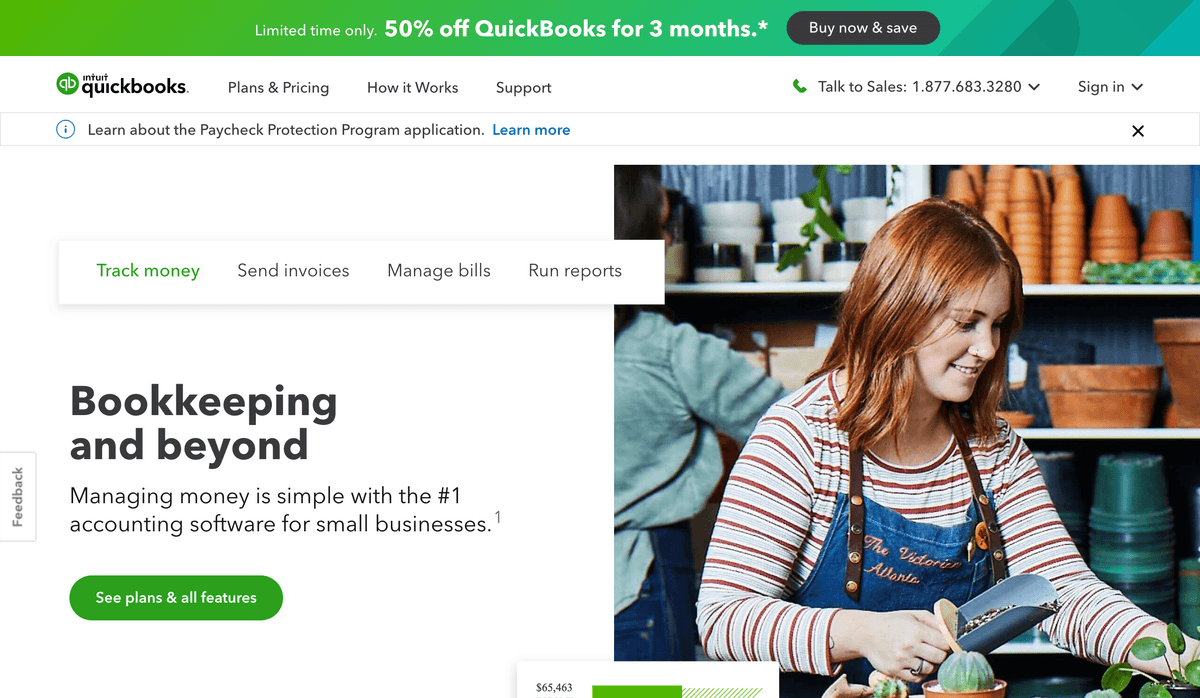
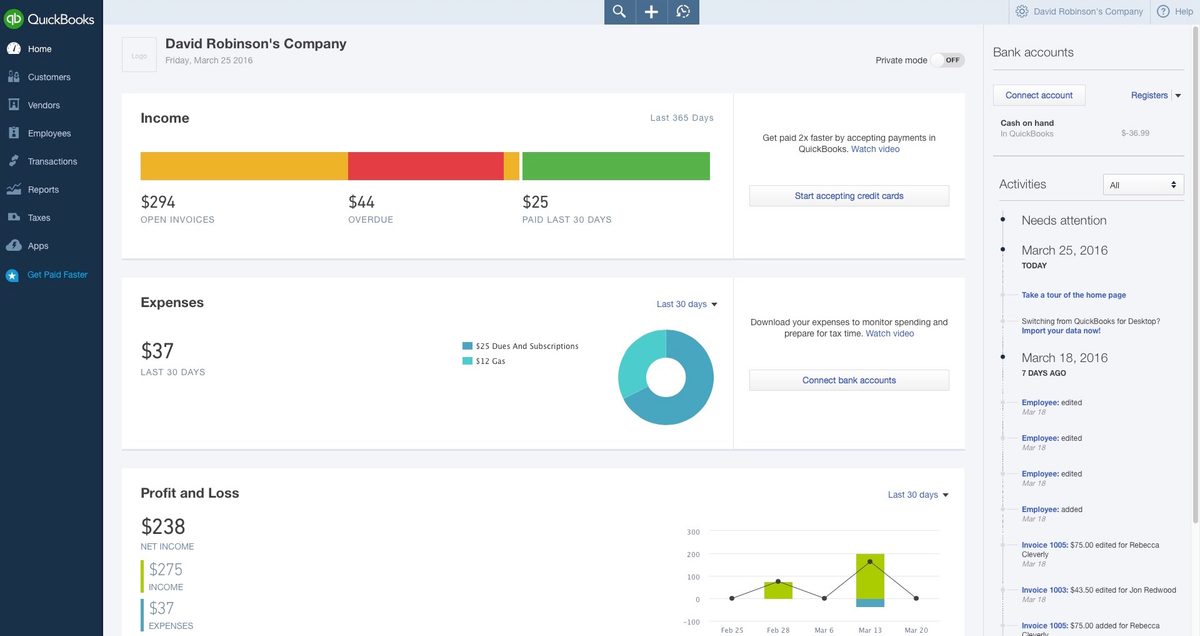
QuickBooks Online is the web version of the popular accounting packages QuickBooks. Use any Zapier integration to connect QuickBooks Online to hundreds of other apps.
Features
- Manage your business's finances, from income and expenses to payroll and taxes
- Use a double-entry accounting method in managing your business's books
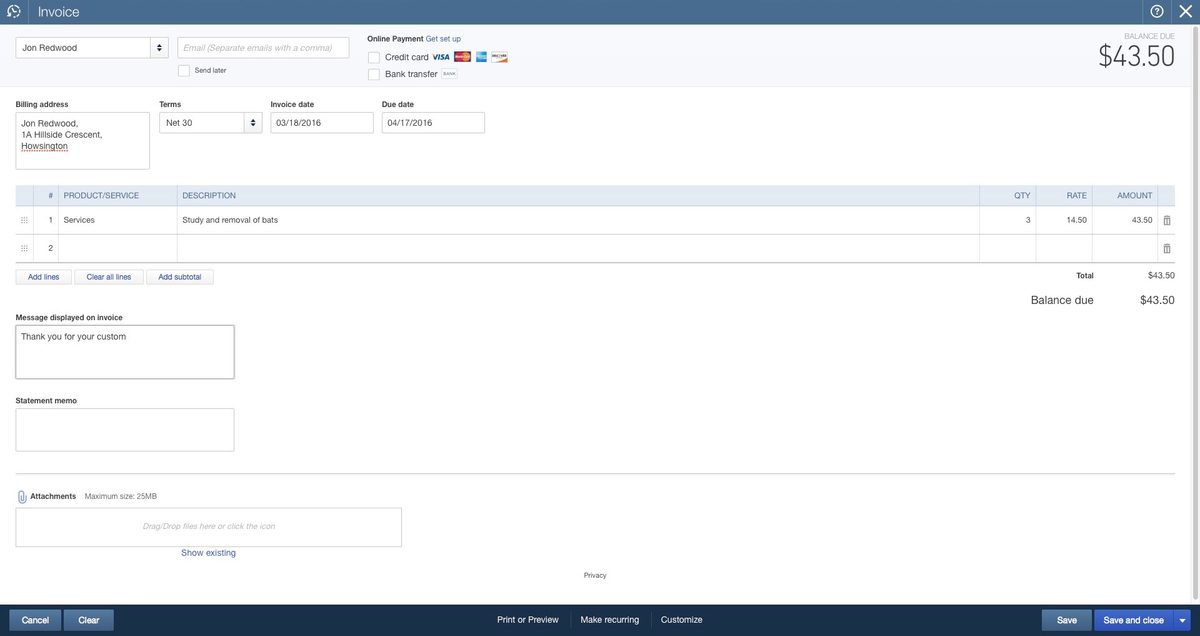
- Invoice clients, generate estimates, and collect payments
- Connect directly to financial accounts to pull in line item income and expenses
- Automatic categorize expenses
- Track inventory, time on task, miles traveled for business, projects
- Generate reports to analyze performance
- iOS and Android apps available
Pricing
QuickBooks Online pricing varies by country, edition, and current promotion; the old fixed figures in this database are not reliable globally. Current pricing.
QuickBooks Online operations on Zapier
Triggers (29)
Start a workflow when this happens
- Estimate Emailed — Triggers when an estimate is emailed.
- Invoice Emailed — Triggers when an invoice is emailed.
- New Account — Triggers when you add a new account.
- New Bank Transaction — Triggers when a new bank transaction is created.
- New Bill — Triggers when a new bill is added.
Show 24 more triggers
- New Bill Payment — Triggers when a new bill paid.
- New Credit Memo — Triggers when a new credit memo is created.
- New Customer — Triggers when you add a new customer.
- New Deposit — Triggers when a there is a new deposit.
- New Estimate — Triggers when you add a new estimate.
- New Expense — Triggers when a new expense is added.
- New Invoice — Triggers when you add a new invoice.
- New Invoice Due — Triggers when an invoice becomes due within a specified number of days.
- New Journal Entry — Triggers when a new journal entry is created.
- New Paid Invoice — Triggers when the balance of an invoice becomes zero.
- New Payment — Triggers when a payment is received (with line item support).
- New Product — Triggers when a new product is created.
- New Project — Triggers when a new project is created.
- New Purchase Order — Triggers when a new purchase order is added.
- New Refund Receipt — Triggers when there is a new refund receipt.
- New Sales Receipt — Triggers when a new sales receipt is added.
- New Supplier Credit — Triggers when a new supplier credit is created.
- New Time Entry — Triggers when a new time entry is created.
- New Vendor — Triggers when a new vendor is added.
- Updated Bill — Triggers when a bill is updated.
- Updated Credit Memo — Triggers when a credit memo is updated.
- Updated Customer — Triggers when an existing customer is updated.
- Updated Estimate — Triggers when an existed estimate is updated.
- Updated Invoice — Triggers when an invoice is updated.
Actions (37)
Things Salesflare can make it do
- API Request (Beta) — This is an advanced action which makes a raw HTTP request that includes this integration's authentication.
- Attach File(s) or Note — Attach a file or note to a QuickBooks record, or upload a standalone file without linking it to a record
- Create Bill (Account Based) — Create a new bill, optionally tied to a customer (with line item support).
- Create Bill (Item Based) — Create a new bill, optionally tied to a customer.
- Create Credit Memo — Creates a new credit memo.
Show 32 more actions
- Create Customer — Adds a new customer.
- Create Deposit — Creates a new deposit in QuickBooks.
- Create Employee — Creates a new employee.
- Create Estimate — Create a new estimate (with line item support).
- Create Expense — Creates a new expense using check, cash, or credit card.
- Create Invoice — Adds a new invoice (with line item and bundle item support).
- Create Journal Entry — Creates a new journal entry.
- Create Payment — Creates a new payment, optionally linked to an invoice.
- Create Product/Service — Creates a new product or service.
- Create Purchase Order — Creates a new purchase order.
- Create Refund Receipt — Creates a new refund receipt.
- Create Sales Receipt — Adds a new sales receipt (with line item support).
- Create Time Activity — Creates a new single time activity.
- Create Vendor — Adds a new vendor.
- Create Vendor Credit — Creates a new vendor credit.
- Find or Create Customer — Finds or creates a specific customer v2.
- Find or Create Employee — Finds or creates a specific employee.
- Find or Create Product — Finds or creates a specific product.
- Find or Create Sales Receipt — Finds or creates a specific sales receipt.
- Find or Create Vendor — Finds or creates a specific vendor.
- Send Estimate — Sends an estimate.
- Send Invoice — Send an existing invoice.
- Send Sales Receipt — Send an existing sales receipt.
- Update Bill — Updates an existing bill.
- Update Customer — Updates an existing customer.
- Update Estimate — Updates an existing estimate.
- Update Invoice — Updates an existing invoice (with line item support).
- Update Product — Updates an existing product.
- Update Purchase (Expense) — Updates an existing purchase/expense transaction.
- Update Sales Receipt — Updates an existing sales receipt.
- Update Vendor — Updates an existing vendor.
- Void Invoice — Void an invoice.
Searches (15)
Look up existing records
- Find Account — Find an account by name.
- Find Class — Finds a class based on name or ID.
- Find Customer — Find a customer by name or email address.
- Find Customer by Query — Finds customers using custom SQL-like WHERE clause syntax for advanced querying.
- Find Employee — Finds an employee based on display name or ID.
Show 10 more searches
- Find Estimate — Finds an estimate.
- Find Invoice — Find an invoice using either Invoice Number, Invoice ID or Invoice Date or Due Date.
- Find Payment — Finds a payment based on Id.
- Find Product — Find a product by name or sku
- Find Products — Find products by names (with line item support)
- Find Purchase (Expense) — Find a purchase/expense transaction by various criteria such as vendor, date, amount, or document number.
- Find Purchase Order — Finds a purchase order by ID or document number.
- Find Sales Receipt — Finds a sales receipt by ID, Customer Name or Sales Receipt Number.
- Find Vendor — Find a vendor by name.
- Get Attachments — Get attachments from a record.
QuickBooks Online operations on Make
Triggers (2)
Start a workflow when this happens
- New Event — Triggers when a new event is created.
- Watch Payments — Triggers when a new payment is created.
Actions (74)
Things Salesflare can make it do
- Create a Bill — Creates a bill.
- Create a Credit Card Payment — Creates a credit card payment.
- Create a Credit Memo — Creates a credit memo.
- Create a Customer — Creates a customer.
- Create a Deposit — Creates a deposit.
Show 69 more actions
- Create a Journal Entry — Creates a journal entry.
- Create a Payment — Creates a payment.
- Create a Purchase — Creates a purchase.
- Create a Purchase Order — Creates a purchase order.
- Create a Refund Receipt — Creates a refund receipt.
- Create a Sales Receipt — Creates a sales receipt.
- Create a Text Attachment — Creates a note.
- Create a Time Activity — Creates a time activity.
- Create a Vendor — Creates a vendor.
- Create an Account — Creates an account.
- Create an Estimate — Creates an estimate.
- Create an Invoice — Creates an invoice.
- Create an Item — Creates an item.
- Delete a Bill — Deletes a bill.
- Delete a Credit Memo — Deletes a credit memo.
- Delete a Deposit — Deletes a deposit.
- Delete a Journal Entry — Deletes a journal entry.
- Delete a Payment — Deletes a payment.
- Delete a Purchase — Deletes a purchase.
- Delete a Purchase Order — Deletes a purchase order.
- Delete a Refund Receipt — Deletes a refund receipt.
- Delete a Sales Receipt — Deletes a sales receipt.
- Delete a Time Activity — Deletes a time activity.
- Delete an Attachment — Deletes an attachment.
- Delete an Estimate — Deletes an estimate.
- Delete an Invoice — Removes an invoice.
- Download a File — Downloads a file.
- Download a Payment — Downloads a payment.
- Download a Sales Receipt — Downloads a sales receipt.
- Download an Estimate — Downloads an estimate.
- Download an Invoice — Downloads an invoice.
- Get My Company — Returns info about a company.
- Get a Bill — Returns info about a bill.
- Get a Credit Memo — Returns info about a credit memo.
- Get a Customer — Returns info about a customer.
- Get a Deposit — Returns info about a deposit.
- Get a Journal Entry — Returns info about a journal entry.
- Get a Payment — Returns info about a payment.
- Get a Purchase — Returns info about a purchase.
- Get a Purchase Order — Returns details about a purchase order.
- Get a Refund Receipt — Returns info about a refund receipt.
- Get a Sales Receipt — Returns details about a sales receipt.
- Get a Time Activity — Returns info about an activity.
- Get a Vendor — Returns info about a vendor.
- Get an Account — Returns info about an account.
- Get an Estimate — Returns info about an estimate.
- Get an Invoice — Returns info about an invoice.
- Get an Item — Returns info about an item.
- Make an API Call — Performs an arbitrary authorized API call.
- Send a Sales Receipt — Sends a sales receipt.
- Send an Estimate — Sends an estimate.
- Send an Invoice — Sends an invoice.
- Update a Bill — Updates a bill.
- Update a Credit Memo — Updates a credit memo.
- Update a Customer — Updates a customer.
- Update a Deposit — Updates a deposit.
- Update a Journal Entry — Updates a journal entry.
- Update a Payment — Updates a payment.
- Update a Purchase — Updates a purchase.
- Update a Purchase Order — Updates a purchase order.
- Update a Refund Receipt — Updates a refund receipt.
- Update a Sales Receipt — Updates a sales receipt.
- Update a Time Activity — Updates a time activity.
- Update a Vendor — Updates a vendor.
- Update an Account — Updates an account.
- Update an Estimate — Updates an estimate.
- Update an Invoice — Updates an invoice.
- Update an Item — Updates an item.
- Upload a File — Uploads a file.
Searches (17)
Look up existing records
- Search for Accounts — Searches for accounts.
- Search for Attachments — Searches for attachments.
- Search for Bills — Searches for bills.
- Search for Credit Memos — Searches for credit memos.
- Search for Customers — Searches for customers.
Show 12 more searches
- Search for Deposits — Searches for deposits.
- Search for Estimates — Searches for estimates.
- Search for Invoices — Searches for invoices.
- Search for Items — Searches for items.
- Search for Journal Entries — Searches for journal entries.
- Search for Payments — Searches for payments.
- Search for Purchase Orders — Searches for a purchase order.
- Search for Purchases — Searches for purchases.
- Search for Refund Receipts — Searches for refund receipts.
- Search for Sales Receipts — Searches for sales receipts.
- Search for Time Activity — Searches for time activities.
- Search for Vendors — Searches for vendors.
Screenshots
Similar apps
 Paymo
Paymo Manage projects, track work time, invoice your clients, and measure profitability from the same…
 Xero
Xero Online accounting app.
 Wave
Wave Invoices, credit card payments, accounting & payroll.
 Zoho Books
 Zoho Books is cloud-based accounting software in which you can record, audit and analyze all fin…
 Harvest
 Simplify employee timesheets and billing.
 Lexware Office
 Lexware Office is a cloud app for german accounting. Writing offers or invoices, paying your bil…
Not using Salesflare yet?
Salesflare is a CRM for small and medium-sized B2B businesses — it fills itself in automatically so your team actually keeps it up to date.
Try it for free