


Teamwork and Salesflare
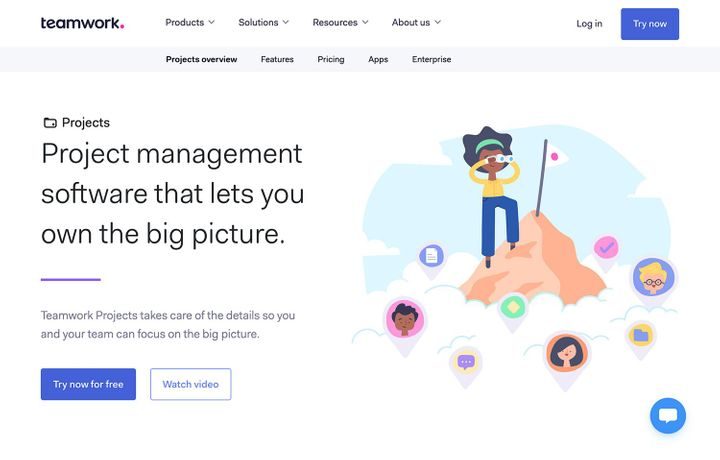
Big picture project management software.
How to connect Teamwork
- Via Zapier — 97 operations available. Set it up ↗
- Via Make — 44 modules available. Set it up ↗
What you can automate
- When new Card in Teamwork, create task in Salesflare.
- When new Comment in Teamwork, create internal note in Salesflare.
- When new Company in Teamwork, find or create account in Salesflare.
- When new Invoice in Teamwork, create opportunity, then find or create contact in Salesflare.
- When new Message Reply in Teamwork, create internal note in Salesflare.
- When new Notebook in Teamwork, create internal note in Salesflare.
About Teamwork
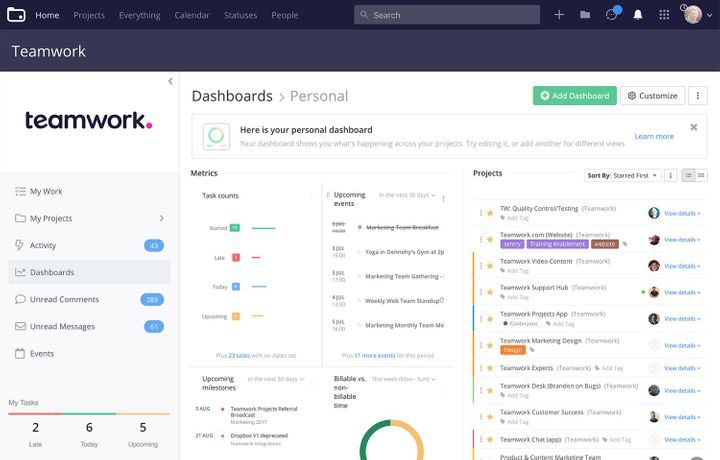
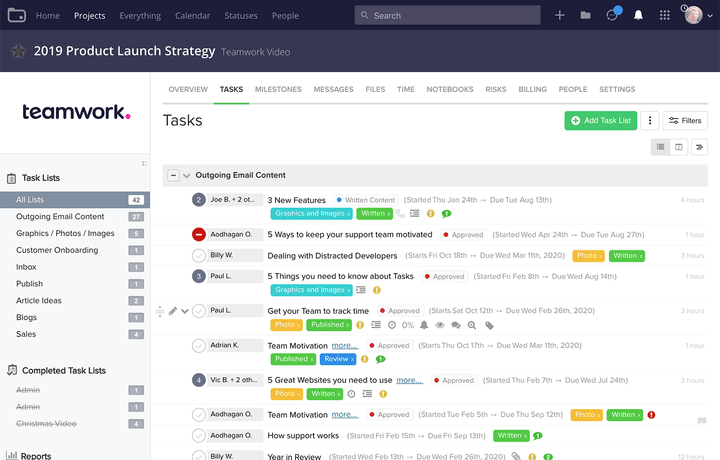
Teamwork Projects is project management software for people who want to own the big picture. With all the features you need to plan, collaborate on, and deliver your work, it takes care of the details so your teams talents are freed to achieve the results that matter to your business. Use Teamwork Projects to manage everything from delivering client projects, to executing marketing campaigns, to sprint planning and product launches.
Features
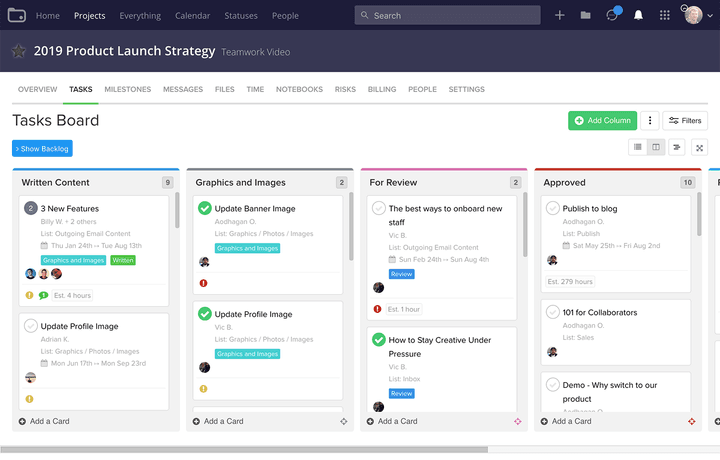
- Manage projects and tasks collaboratively
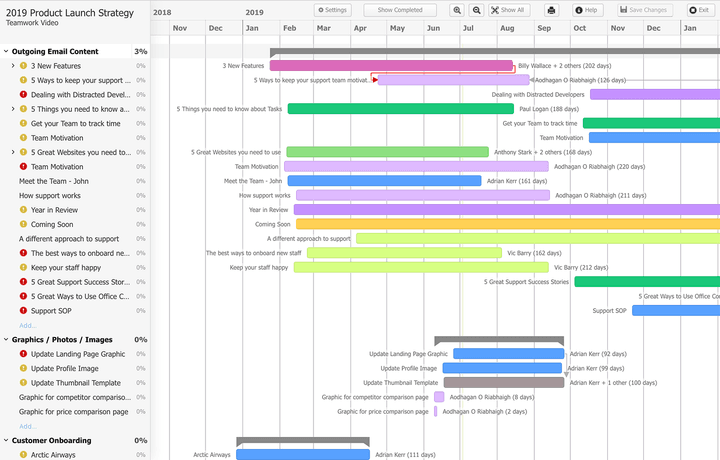
- See project plans as Gantt charts, reports, and other views
- Add tags, descriptions, dependencies, reminders, and other assets to tasks
- Track time spent on tasks
- Create invoices to bill clients and connect to accounting apps
- Create and use templates for task lists, projects, and more
- iOS and Android apps available
Pricing
Free plan available for up to 5 users. Basics: $9.99/user/month billed yearly. Accelerate: $24.99/user/month billed yearly. Optimize/Enterprise: custom pricing. 30-day trial available. Current pricing.
Teamwork operations on Zapier
Triggers (24)
Start a workflow when this happens
- Calendar Event Reminder — Triggered when a calendar event reminder is sent.
- New Calendar Event — Triggered when you add a new calendar event.
- New Card — Triggered when you add a new card.
- New Column — Triggered when you add a new column.
- New Comment — Triggered when you add a new comment.
Show 19 more triggers
- New Company — Triggered when you add a new company.
- New Expense — Triggered when you add a new expense.
- New File — Triggered when you add a new file.
- New Invoice — Triggered when you add a new invoice.
- New Link — Triggered when you add a new link.
- New Message — Triggered when you add a new message.
- New Message Reply — Triggered when you add a new message reply.
- New Milestone — Triggered when you add a new milestone.
- New Notebook — Triggered when you add a new notebook.
- New Person — Triggered when you add a new person.
- New Project — Triggered when you add a new project.
- New Risk — Triggered when you add a new risk.
- New Stage — Triggered when you add a new stage.
- New Status — Triggered when you add a new status.
- New Task — Triggered when you add a new task.
- New Task List — Triggered when you add a new task list.
- New Time Entry — Triggered when you add a new time entry.
- Project Updated or Deleted — Triggered when a project is updated or deleted.
- Task Updated or Deleted — Triggered when a task is updated or deleted.
Actions (54)
Things Salesflare can make it do
- Add People to Project — Adds people to a project.
- Add Task List From Template — Adds a task list from a template to the selected project.
- Create Calendar Event — Creates a new calendar event.
- Create Calendar Event Type — Creates a new calendar event type.
- Create Column — Creates a new column.
Show 49 more actions
- Create Company — Creates a new company.
- Create Expense — Creates a new expense.
- Create File Category — Creates a new file category.
- Create File Comment — Creates a new file comment.
- Create Invoice — Creates a new invoice.
- Create Link — Creates a new link.
- Create Link Category — Creates a new link category.
- Create Link Comment — Creates a new link comment.
- Create Message — Creates a new message.
- Create Message Category — Creates a new message category.
- Create Message Reply — Creates a new message reply.
- Create Milestone — Creates a new milestone.
- Create Milestone Comment — Creates a new milestone comment.
- Create Notebook — Creates a new notebook.
- Create Notebook Category — Creates a new notebook category.
- Create Notebook Comment — Creates a new notebook comment.
- Create Person — Creates a new person.
- Create Project — Creates a new project.
- Create Project Category — Creates a new project category.
- Create Stage — Creates a new stage.
- Create Status — Creates a new status.
- Create Task — Creates a new task.
- Create Task Comment — Creates a new task comment.
- Create Task List — Creates a new task list.
- Create Time Entry on Project — Creates new time entry on a project.
- Create Time Entry on Task — Creates new time entry on a task.
- Create Workflow — Creates a new workflow.
- Find or Create Calendar Event — Finds a calendar event by searching.
- Find or Create Column — Finds a column by searching.
- Find or Create Company — Finds a company by searching.
- Find or Create File — Finds a file by searching.
- Find or Create File Comment — Finds a file comment by searching.
- Find or Create Link — Finds a link by searching.
- Find or Create Link Comment — Finds a link comment by searching.
- Find or Create Message — Finds a message by searching.
- Find or Create Milestone — Finds a milestone by searching.
- Find or Create Milestone Comment — Finds a milestone comment by searching.
- Find or Create Notebook — Finds a notebook by searching.
- Find or Create Notebook Comment — Finds a notebook comment by searching.
- Find or Create Person — Finds a person by searching.
- Find or Create Project — Finds a project by searching.
- Find or Create Stage — Finds a stage by searching.
- Find or Create Task — Finds a task by searching.
- Find or Create Task Comment — Finds a task comment by searching.
- Find or Create TaskList — Finds a task list by searching.
- Find or Create Workflow — Finds a workflow by searching.
- Mark Task Complete — Marks a task complete.
- Update Task — Updates an existing task.
- Upload File to Project — Uploads a file to a project.
Searches (19)
Look up existing records
- Find Calendar Event — Finds a calendar event by searching.
- Find Column — Finds a column by searching.
- Find Company — Finds a company by searching.
- Find File — Finds a file by searching.
- Find File Comment — Finds a file comment by searching.
Show 14 more searches
- Find Link — Finds a link by searching.
- Find Link Comment — Finds a link comment by searching.
- Find Message — Finds a message by searching.
- Find Milestone — Finds a milestone by searching.
- Find Milestone Comment — Finds a milestone comment by searching.
- Find Notebook — Finds a notebook by searching.
- Find Notebook Comment — Finds a notebook comment by searching.
- Find Person — Finds a person by searching.
- Find Project — Finds a project by searching.
- Find Stage — Finds a stage by searching.
- Find Task — Finds a task by searching.
- Find Task Comment — Finds a task comment by searching.
- Find Task List — Finds a task list by searching.
- Find Workflow — Finds a workflow by searching.
Teamwork operations on Make
Triggers (9)
Start a workflow when this happens
- New event — Triggers when a new event occurs (for example, when a new task is added or completed).
- Watch companies — Triggers when a new company is added.
- Watch files — Triggers when a new file is uploaded.
- Watch milestones — Triggers when a new milestone is added.
- Watch people — Triggers when a new person (user or contact) is added.
Show 4 more triggers
- Watch projects — Triggers when a new project is created.
- Watch task lists — Triggers when a new task list is added.
- Watch tasks — Triggers when a new task is added.
- Watch time entries — Triggers when a new time entry is added.
Actions (35)
Things Salesflare can make it do
- Add a person to a project — Adds a selected person to a project.
- Complete a task — Markes the specified task as complete.
- Create a calendar event — Creates a new calendar event.
- Create a company — Creates a new company.
- Create a link — Adds a new link to a selected project.
Show 30 more actions
- Create a milestone — Creates a new milestone.
- Create a person — Creates a new person.
- Create a project — Creates a new project.
- Create a subtask — Adds a new subtask to a selected task.
- Create a task — Adds a new task to a specified task list.
- Create a task list — Creates a new task list in a specified project.
- Create a time entry — Adds a new time entry to a given project or task.
- Delete a calendar event — Deletes a calendar event.
- Delete a company — Deletes a company with a given ID.
- Delete a file — Deletes a file with a given ID.
- Delete a link — Deletes the link specified by link ID.
- Delete a milestone — Deletes a milestone with a given ID.
- Delete a person — Deletes a person with a given ID.
- Delete a project — Deletes a project with a given ID.
- Delete a task — Deletes a task with a given ID.
- Delete a task list — Deletes a task with a given ID.
- Download a file — Downloads a file with a given ID.
- Get a company — Retrieves information about a company with a given ID.
- Get a milestone — Retrieves information about a milestone with a given ID.
- Get a person — Retrieves information about a person with a given ID.
- Get a project — Retrieve information about a project with a given ID.
- Get a task — Retrieves information about a task with a given ID.
- Get a task list — Retrieves information about a task list with a given ID.
- Get a time entry — Returns a time entry by ID.
- Remove a person from a project — Removes a selected person from a project.
- Set project owner — Sets a selected person as a project owner.
- Update a person — Updates a person with a given ID.
- Update a project — Updates a project with a given ID.
- Update a task — Modifies information about a task with a specified ID.
- Upload a file — Uploads a file into a specific project.
Screenshots
Similar apps
 Asana
Asana Coordinate all the work your team does together.
 Paymo
Paymo Manage projects, track work time, invoice your clients, and measure profitability from the same…
 Trello
 Team collaboration tool.
 monday.com
 Helps you move projects forward fast.
 ClickUp
 The productivity platform.
 Google Tasks
 Very simple task list.
Not using Salesflare yet?
Salesflare is a CRM for small and medium-sized B2B businesses — it fills itself in automatically so your team actually keeps it up to date.
Try it for free