


Trello and Salesflare
Team collaboration tool.
How to connect Trello
- Via Zapier — 55 operations available. Set it up ↗
- Via Make — 58 modules available. Set it up ↗
What you can automate
- When new Card in Trello, create task in Salesflare.
- When new Comment in Card in Trello, create internal note in Salesflare.
- When new Label Added to Card in Trello, create task in Salesflare.
- When new Member on Board in Trello, find or create contact in Salesflare.
- When new Task in Salesflare, create Card in Trello.
About Trello
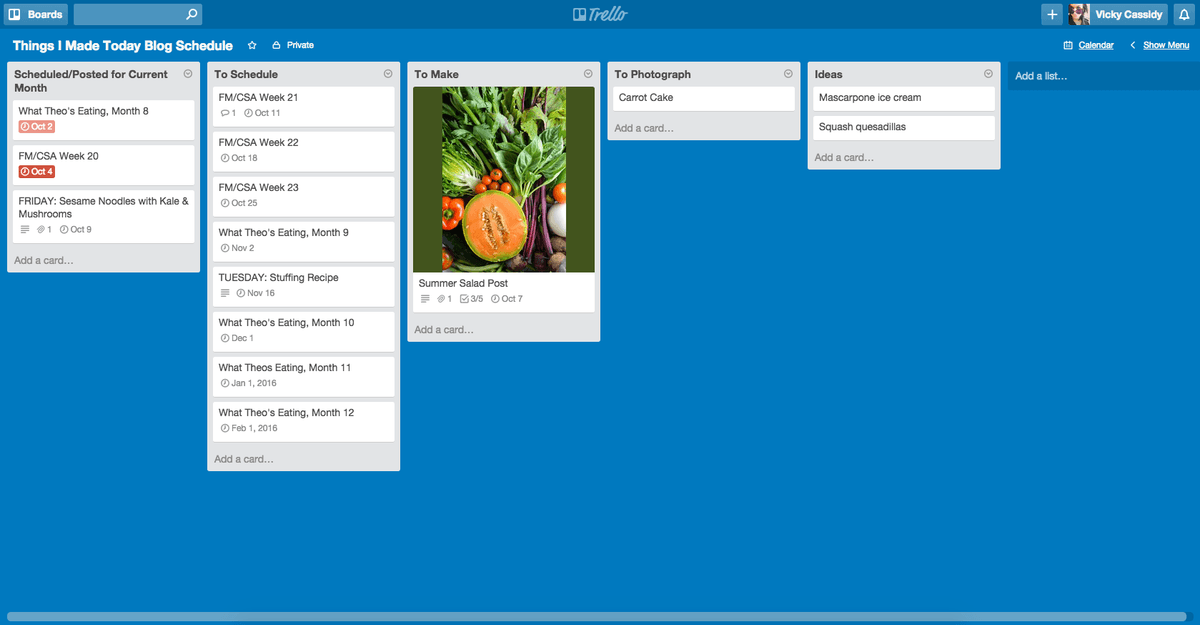
Trello is a team collaboration tool that lets you organize anything and everything to keep your projects on task.
Features
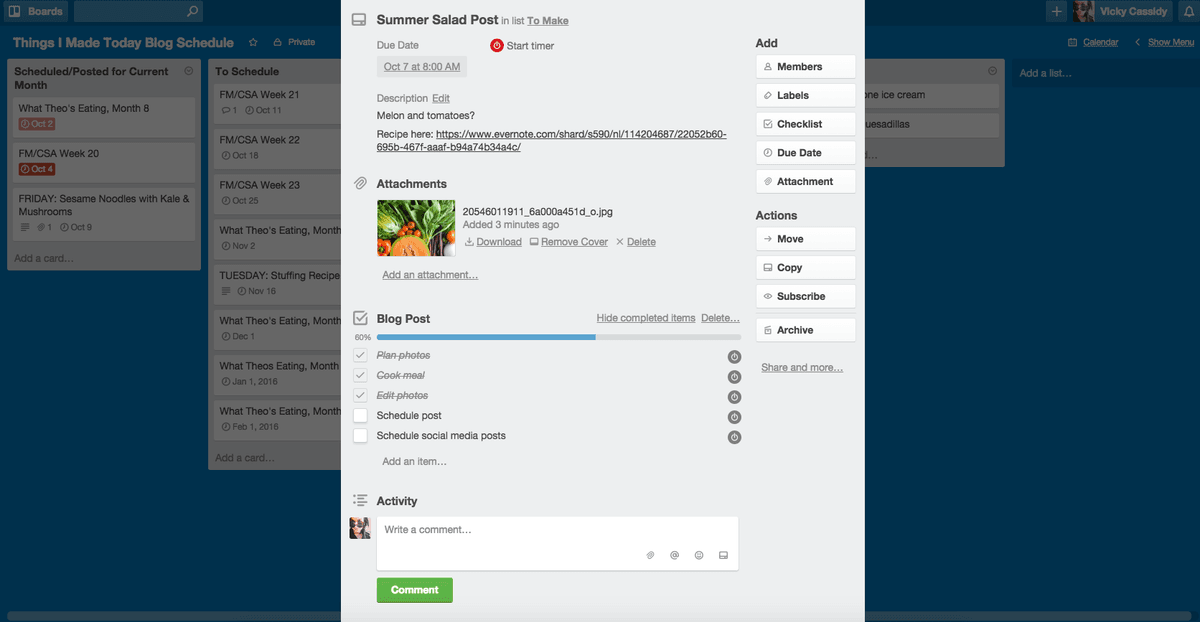
- List tasks and ideas on cards
- Organize cards into lists and Kanban boards
- Drag and drop cards to move between columns and create your own workflow
- Collaborate with teammates on shared cards
- Add power-ups to connect boards with 3rd party apps and automations
- iOS and Android apps available
Pricing
Free plan available. Standard starts at $5/user/month billed annually ($6 monthly). Premium and Enterprise tiers are priced higher, with Enterprise varying by seat count. Current pricing.
Trello operations on Zapier
Triggers (14)
Start a workflow when this happens
- Card Due — Triggers at a specified time before a card is due.
- Card Moved to List — Triggers when a Card is moved to a List in Trello, [inside the same Board](https://zapier.com/apps/trello/help#common-problems-trello#not-triggering-on-card-moved-to-list-when-a-card-is-moved-from-another-board).
- Card Updated — Triggers when a Card is updated in Trello.
- New Activity — Triggers when there is activity in Trello.
- New Board — Triggers when a new board is added.
Show 9 more triggers
- New Card — Triggers when a new card is added.
- New Card Archived — Triggers when a Card is archived in Trello.
- New Checklist — Triggers when a new checklist is created in Trello.
- New Comment in Card — Triggers when a Comment is added to a Card in Trello.
- New Label — Triggers when a new label is created in Trello.
- New Label Added to Card — Triggers when a label is added in a Trello card.
- New List — Triggers when a new list on a board is added.
- New Member on Board — Triggers when a new member joins a board.
- New Notification — Triggers when you get a new notification in Trello.
Actions (23)
Things Salesflare can make it do
- Add Attachment to Card — Adds one or more attachments to a specific card.
- Add Checklist to Card — Adds a new (or existing) checklist to a card.
- Add Label to Card — Adds an existing label to a specific card.
- Add Member to Board — Adds a member to a board.
- Add Members to Card — Adds one or more members to a specific card.
Show 18 more actions
- Archive Card — Archives a card.
- Close Board — Closes a board without permanently deleting it.
- Complete Checklist Item in Card — Completes an existing checklist item in a card.
- Copy Board — Creates a copy of an existing board.
- Create Board — Creates a new board.
- Create Card — Adds a new card on a specific board and list.
- Create Checklist Item in Card — Creates a new checklist item in a card.
- Create Comment — Writes a new comment on a specific card.
- Create Label — Adds a new label on a specific board.
- Create List — Adds a new list on a specific board.
- Delete Checklist in Card — Deletes an existing checklist on a card.
- Find or Create Board — Finds or creates a specific organization board.
- Find or Create Checklist — Finds or creates a specific checklist.
- Find or Create Label — Finds or creates a specific board label.
- Find or Create List on a Board — Finds or creates a specific board list.
- Move Card to List — Moves a specific card to a list on a specific board.
- Remove Label From Card — Removes an existing label from a card.
- Update Card — Update a card's name, description, due date, or position in list.
Searches (18)
Look up existing records
- Find Action by ID — Finds a specific Trello action using its ID. This provides direct access to action details for agentic use cases.
- Find Board — Finds a board in your Trello organization by name.
- Find Board by ID — Finds a specific board using its ID. This provides direct access to board details for agentic use cases.
- Find Card — Search for cards using structured search fields.
- Find Card Attachments by Card ID — Finds all attachments for a specific card using its ID. This provides direct access to card attachments for agentic use cases, improving performance by separating attachment fetching from the main card search.
Show 13 more searches
- Find Card by Custom Query — Search for cards using a custom Trello query string.
- Find Card by ID — Finds a specific card using its ID. This provides direct access to card details with comments for agentic use cases, without the overhead of attachment processing.
- Find Checklist — Finds a checklist on a particular board or card by name.
- Find Checklist Item — Finds a checklist item on a particular checklist by name.
- Find Checklist Item by ID — Finds a specific checklist item using its checklist ID and checklist item ID. This provides direct access to checklist item details for agentic use cases.
- Find Checklist by ID — Finds a specific checklist using its ID. This provides direct access to checklist details for agentic use cases.
- Find Label by ID — Finds a specific label using its ID. This provides direct access to label details for agentic use cases.
- Find Label on Board — Finds a label on a particular board by name.
- Find List by ID — Finds a specific list using its ID. This provides direct access to list details for agentic use cases.
- Find List on a Board — Finds a list on a particular board by name.
- Find Member — Finds a member in your Trello organization by name.
- Find Member by ID — Finds a specific member using their ID. This provides direct access to member details for agentic use cases.
- Find Organization by ID — Finds a specific organization using its ID. This provides direct access to organization details for agentic use cases.
Trello operations on Make
Triggers (7)
Start a workflow when this happens
- Watch Activities — Triggers when a new activity occurs.
- Watch Attachments — Triggers when a new attachment is added to a card.
- Watch Boards Created by Me — Triggers when the connection's user adds a board.
- Watch Cards — Triggers when a new card is added.
- Watch Cards Moved to a List — Triggers when a card is moved to a specific list.
Show 2 more triggers
- Watch Comments — Triggers when a new comment is added.
- Watch Notifications — Triggers when you have a new notification.
Actions (41)
Things Salesflare can make it do
- Add a Label to a Card — Adds an existing label to a card.
- Add a Member to a Card — Adds a selected member to a card.
- Add an Attachment — Adds an attachment to a card.
- Archive or Unarchive a Board — Archives or unarchives a board.
- Archive or Unarchive a Card — Archives or unarchives a card.
Show 36 more actions
- Archive or Unarchive a List — Archives or unarchives a specific list.
- Assign a Member to a Board — Assigns a specific member to a board.
- Create Export for Organizations — Creates a CSV export for a workspace and returns a ZIP file in the response. Is not available on the free plan.
- Create a Board — Creates a new board.
- Create a Card — Creates a new card.
- Create a Checklist — Creates a checklist on a given card.
- Create a Checklist Item — Creates new checklist item to a specific checklist.
- Create a Comment in a Card — Creates a new comment in a specific card.
- Create a Custom Field — Creates a new custom field on a board.
- Create a Label — Creates a new label on a board.
- Create a List — Creates a new list.
- Delete a Card — Deletes a card.
- Delete a Checklist — Deletes a specified checklist.
- Delete a Comment in a Card — Deletes a comment in a specific card.
- Delete a Label — Deletes a label.
- Delete an Attachment — Deletes an attachment from a card.
- Download an Attachment — Downloads an attachment.
- Edit a Board — Edits an existing board.
- Edit a Card — Edits an existing card.
- Edit a Checklist Item — Updates an item in a checklist on a card.
- Edit a Comment in a Card — Edits an existing comment in a specific card.
- Edit a Label — Edits an existing label.
- Edit a List — Edits an existing list.
- Get a Board — Retrieves a board by ID.
- Get a Card — Retrieves a card by ID.
- Get a Checklist — Retrieves information about a specific checklist.
- Get a Custom Field — Retrieves information about a specific custom field.
- Get a Label — Gets information about a specific label.
- Get a List — Retrieves a list by ID.
- Get an Attachment — Gets a specific attachment on a card.
- Make an API Call — Performs an arbitrary authorized API call.
- Remove a Label from a Card — Removes a label from a card.
- Remove a Member from a Card — Removes a specific member from a card.
- Remove an Item from Checklist — Removes an item from checklist.
- Set a Custom Field on a Card — Sets or updates a custom field value on a card.
- Unassign a Member from a Board — Unassigns a specific member from a specific board.
Searches (10)
Look up existing records
- Get Board Lists — Retrieves all lists from a given board.
- Get Card Checklists — Retrieves all checklists for given card.
- Get Custom Field Options — Retrieves options of dropdown custom field.
- List Attachments — Lists attachments on a card.
- List Comments in a Card — Retrieves a list of comments for a card.
Show 5 more searches
- List Labels — Retrieves all labels from a board.
- Search for Boards — Returns boards matching the search query.
- Search for Cards — Returns cards matching the search query.
- Search for Members — Returns members matching the search query.
- Search for Organizations — Returns workspaces matching the search query.
Screenshots

Similar apps
 Asana
Asana Coordinate all the work your team does together.
 Paymo
Paymo Manage projects, track work time, invoice your clients, and measure profitability from the same…
 monday.com
 Helps you move projects forward fast.
 ClickUp
 The productivity platform.
 Google Tasks
 Very simple task list.
 Todoist
 One of the best online task management apps.
Not using Salesflare yet?
Salesflare is a CRM for small and medium-sized B2B businesses — it fills itself in automatically so your team actually keeps it up to date.
Try it for free