


ClickUp and Salesflare
The productivity platform.
How to connect ClickUp
- Via Zapier — 36 operations available. Set it up ↗
- Via Make — 95 modules available. Set it up ↗
What you can automate
- When new Comment on a Task in ClickUp, create internal note in Salesflare.
- When new Task in ClickUp, create task in Salesflare.
- When new Attachment Added to Task in ClickUp, create task in Salesflare.
- When new Reaction Added to Task Comment in ClickUp, create task in Salesflare.
- When new Task in Salesflare, create Task in ClickUp.
About ClickUp
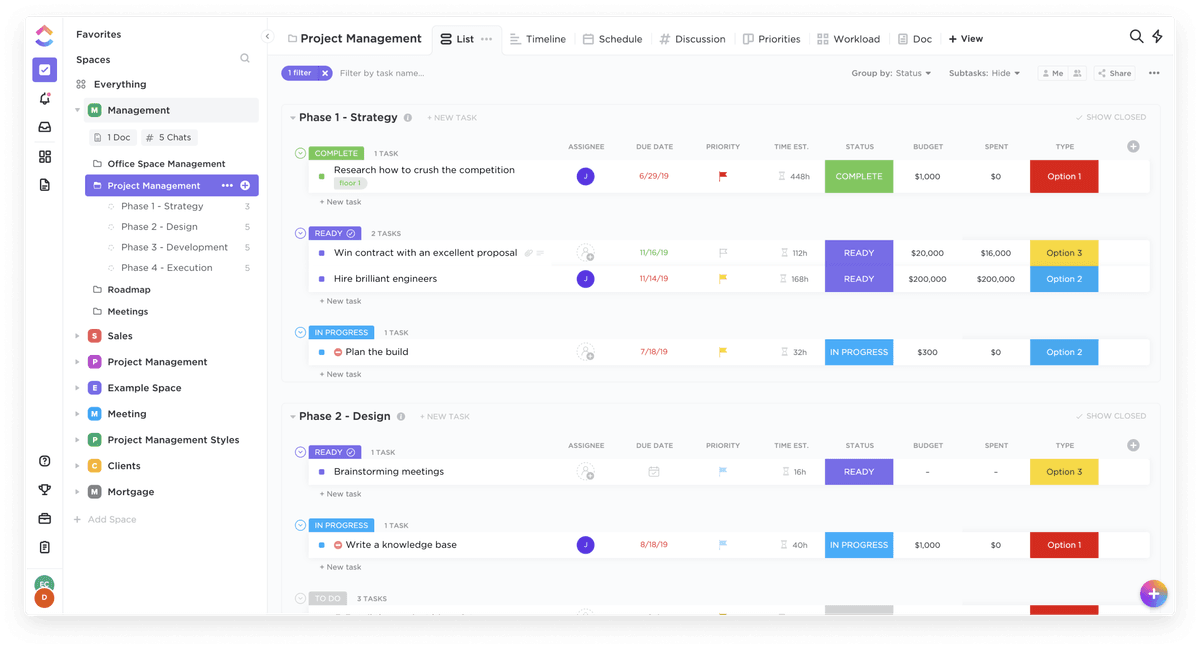
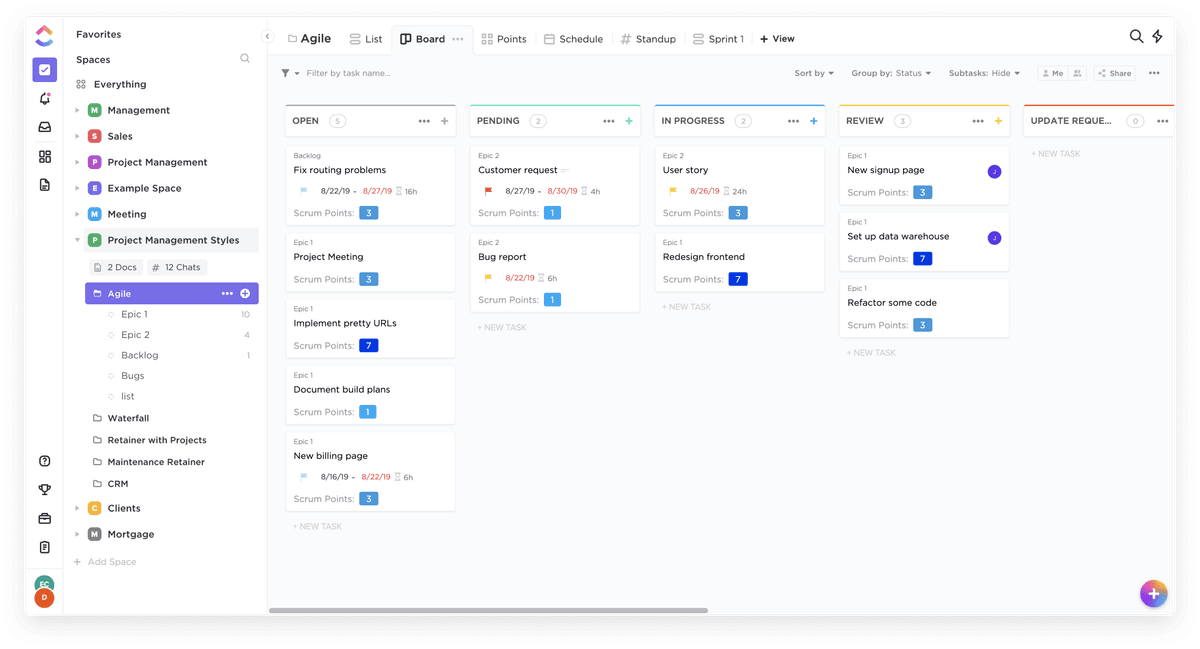
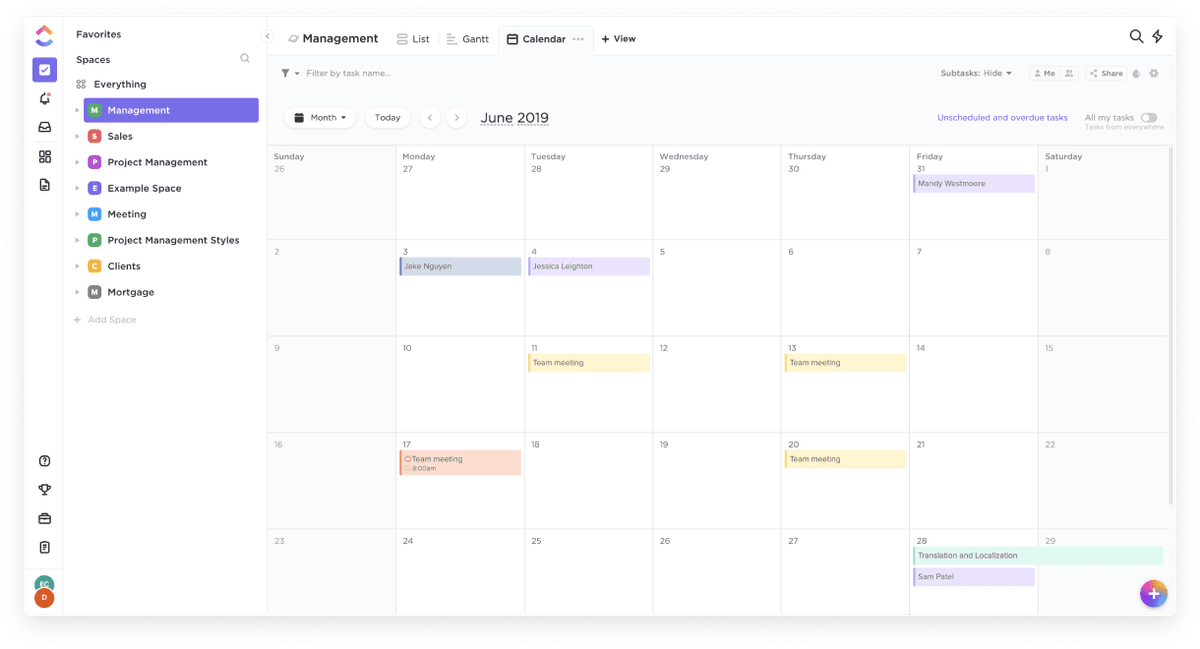
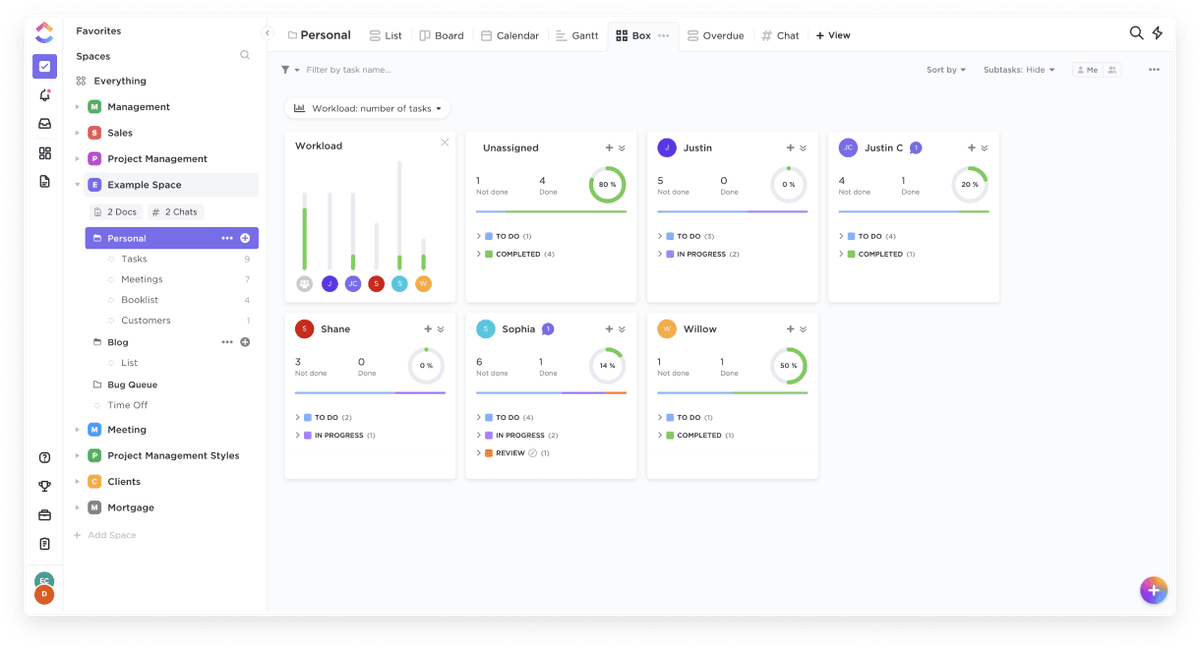
ClickUp is a productivity platform that allows you to manage your work and personal tasks in a beautifully intuitive environment.
Features
- Unlimited storage
- Reporting
- Google Drive, Dropbox, & OneDrive
- Goals & Portfolios
- Set Permissions & Guest Visibility
- Recurring Tasks
- Unlimited Views
- Column calculations
- Reminders
- Gantt Charts
- Form View
- Dashboards
- Automations
Pricing
Free Forever: $0. Unlimited: $7/user/month billed annually. Business: $12/user/month billed annually. Enterprise: custom pricing. Current pricing.
ClickUp operations on Zapier
Triggers (10)
Start a workflow when this happens
- New Attachment Added to Task — Triggers when an attachment is added to a task.
- New Comment on a Task — Triggers when a new Comment is added to a Task in ClickUp.
- New Folder — Triggers when new folders are created.
- New List — Triggers when new lists are created.
- New Message Posted to Channel — Triggers when a new message is posted to a specific channel you choose.
Show 5 more triggers
- New Reaction Added to Chat Message — Triggers when a reaction (emoji) is added to a message in a public channel.
- New Reaction Added to Task Comment — Triggers when a reaction (emoji) is added to a message for a task comment.
- New Task — Triggers when tasks are added.
- New Time Entry — Triggers when a new Time Entry is added using ClickUp Time tracking.
- Task Changes — Triggers when a task changes.
Actions (20)
Things Salesflare can make it do
- API Request (Beta) — This is an advanced action which makes a raw HTTP request that includes this integration's authentication.
- Archive or Delete Task — Archive or delete ClickUp task
- Create Custom Field — Creates a new custom field
- Create Folder — Creates a new folder
- Create List — Creates a new list
Show 15 more actions
- Create New Document — Create new document in the specific location
- Create New Document Page — Create new page in the specific document
- Create Space — A Space represents teams, departments, or groups, each with its own Lists, workflows, and settings.
- Create Subtask — Creates a new subtask
- Create Task — Creates a new task.
- Edit Document Page — Edit document page
- New Checklist — Add a checklist to a task
- Post Attachment — Post an attachment to a task.
- Post a Task Comment — Post a comment to a task
- Send Chat Message to Channel — Post a message to a specific channel you choose.
- Send Direct Message — Send a direct message to a user or yourself.
- Time Tracked — Add time tracked to a task
- Update Access for the Task — Update access to the task
- Update Custom Field Value — Update value of a custom field for a selected task
- Update Task — Updates an existing task.
Searches (6)
Look up existing records
- Find Custom Fields — View the Custom Fields available on tasks in a specific Team / Space / Folder / List.
- Find Documents — Search for documents by location.
- Find Task by ID — Find an existing task by its ID.
- Find User by Name or Email — Find an existing user by their name or their email.
- Find a List of All Tasks — Finds a list of all tasks created in Workspace/Space/Folder/List. Supports Custom Fields.
Show 1 more searches
- Find the Most Recent Task — Find the most recent task created in Workspace/Space/Folder/List.
ClickUp operations on Make
Triggers (4)
Start a workflow when this happens
- Watch Folders — Triggers when a specific folder event happens.
- Watch Lists — Triggers when a specific list event happens.
- Watch Spaces — Triggers when a specific space event happens.
- Watch Tasks — Triggers when a specific task or subtask event happens.
Actions (64)
Things Salesflare can make it do
- Add Tag to a Task — Adds tag to a task.
- Add Tracked Time — Adds time tracked to a task.
- Add a Dependency — Adds a dependency to a task.
- Create a Checklist — Adds new checklist to a specific task.
- Create a Checklist Item — Creates an item in a checklist.
Show 59 more actions
- Create a Folder — Creates new folder for specific space.
- Create a Folderless List — Creates a folderless list.
- Create a Goal — Creates new workspace goal.
- Create a List — Creates new list for specific folder.
- Create a Space — Creates a space.
- Create a Space Tag — Creates a new tag for specific space.
- Create a Target — Creates a goal target.
- Create a Task — Creates new task in a specific list or sub-task in a specific task.
- Create a Task (advanced) — Creates a new task in a list.
- Create a Task from a Template — Creates a task from a specific template.
- Create a Time Entry — Creates a new time entry manually.
- Delete Time Tracked — Deletes tracked time.
- Delete a Checklist — Deletes a specific checklist.
- Delete a Checklist Item — Deletes a specific checklist item.
- Delete a Comment — Deletes a list or task comment.
- Delete a Dependency — Removes a dependency of tasks.
- Delete a Folder — Deletes a folder.
- Delete a Goal — Deletes a specific goal.
- Delete a List — Deletes a list.
- Delete a Message (beta) — Deletes a chat message.
- Delete a Space — Deletes a specific space.
- Delete a Space Tag — Deletes a space tag.
- Delete a Target — Deletes a target.
- Delete a Task — Deletes a specific task.
- Delete a Time Entry — Deletes a time entry.
- Edit Time Tracked — Updates tracked time.
- Edit a Checklist — Updates checklist name and/or position.
- Edit a Checklist Item — Updates a checklist item.
- Edit a Folder — Updates a folder.
- Edit a Goal — Updates a goal.
- Edit a List — Updates a list.
- Edit a Space — Updates a space.
- Edit a Space Tag — Updates a space tag.
- Edit a Target — Updates a goal target.
- Edit a Task — Updates a task.
- Edit a Task with Custom Fields — Updates a task.
- Edit a Task with Custom Fields (advanced) — Updates a task.
- Get Task's Time in Status — Returns how long a task has been in each status. Available only for ClickUp Business plan.
- Get a Folder — Retrieves details about specific folder.
- Get a Goal — Retrieves details about specific goal.
- Get a List — Retrieves details about specific list.
- Get a Space — Retrieves details about specific space.
- Get a Task — Retrieves details about specific task or subtask.
- Get a Time Entry — Gets a specified time entry.
- Get a View — Retrieves details about specific view.
- Get a Workspace — Gets a specified workspace.
- Invite a User to a Workspace — Invites a user to a selected workspace.
- Make an API Call — Performs an arbitrary authorized API call.
- Post List Comment — Posts a comment to a list.
- Post a Task Comment — Posts a comment to a task.
- Post a View Comment — Posts a comment to a view.
- Remove Tag from a Task — Removes tag from a specific task.
- Send a Chat Message (beta) — Sends a new message into a chat channel.
- Send a Direct Message (beta) — Sends a direct message between up to 10 users.
- Start/Stop a Timer — Starts or stops a timer.
- Update a Comment — Updates a list or task comment.
- Update a Message (beta) — Updates the content of a specific chat message.
- Update a Time Entry — Updates an existing time entry.
- Upload Task Attachment — Adds attachment to a task.
Searches (27)
Look up existing records
- List All Accessible Custom Fields — Retrieves all custom fields for specific list.
- List All Channel Followers (beta) — Retrieves all followers for a specific channel.
- List All Channel Members (beta) — Retrieves all members for a specific channel.
- List All Channel Messages (beta) — Retrieves all messages for a specific channel.
- List All Comments — Retrieves all coments for specific task, view or list.
Show 22 more searches
- List All Folder Views — Retrieves all folder views.
- List All Folderless Lists — Retrieves all space lists.
- List All Folders — Retrieves all folders for a specific space.
- List All Goals — Retrieves all workspace goals.
- List All List Members — Retrieves all list members.
- List All List Views — Retrieves all list views.
- List All Lists — Retrieves all lists for specific folder.
- List All Message Reactions (beta) — Retrieves all reactions for a specific message.
- List All Space Tags — Retrieves all tags of a specific space.
- List All Space Views — Retrieves all space views.
- List All Spaces — Retrieves all spaces belonging to a specific team.
- List All Task Members — Retrieves all task members.
- List All Tasks — Retrieves all tasks for specific list.
- List All Team Views — Retrieves all team views.
- List All View Tasks — Retrieves all tasks for specific view.
- List All Workspaces — Retrieves all workspaces.
- List Filtered Tasks — Retrieves tasks for specific workspace.
- List Subtasks for a Task — Retrieves all subtasks for a specified task.
- List Task Templates — Retrieves all task templates.
- List Time Entries — Retrieves a list of time entries within a date range.
- List Time Entry's Histories — Retrieves a list of time entry's histories.
- List Tracked Time — Retrieves tracked time for specific task.
Screenshots
Similar apps
 Asana
Asana Coordinate all the work your team does together.
 Paymo
Paymo Manage projects, track work time, invoice your clients, and measure profitability from the same…
 Trello
 Team collaboration tool.
 monday.com
 Helps you move projects forward fast.
 Google Tasks
 Very simple task list.
 Todoist
 One of the best online task management apps.
Not using Salesflare yet?
Salesflare is a CRM for small and medium-sized B2B businesses — it fills itself in automatically so your team actually keeps it up to date.
Try it for free