


Microsoft Teams and Salesflare
Your modern workplace at home, in the office, and on the go.
How to connect Microsoft Teams
- Via Zapier — 29 operations available. Set it up ↗
- Via Make — 26 modules available. Set it up ↗
What you can automate
- When new Team Member in Microsoft Teams, find or create contact in Salesflare.
- When new Reply to Message in Microsoft Teams, create internal note in Salesflare.
About Microsoft Teams
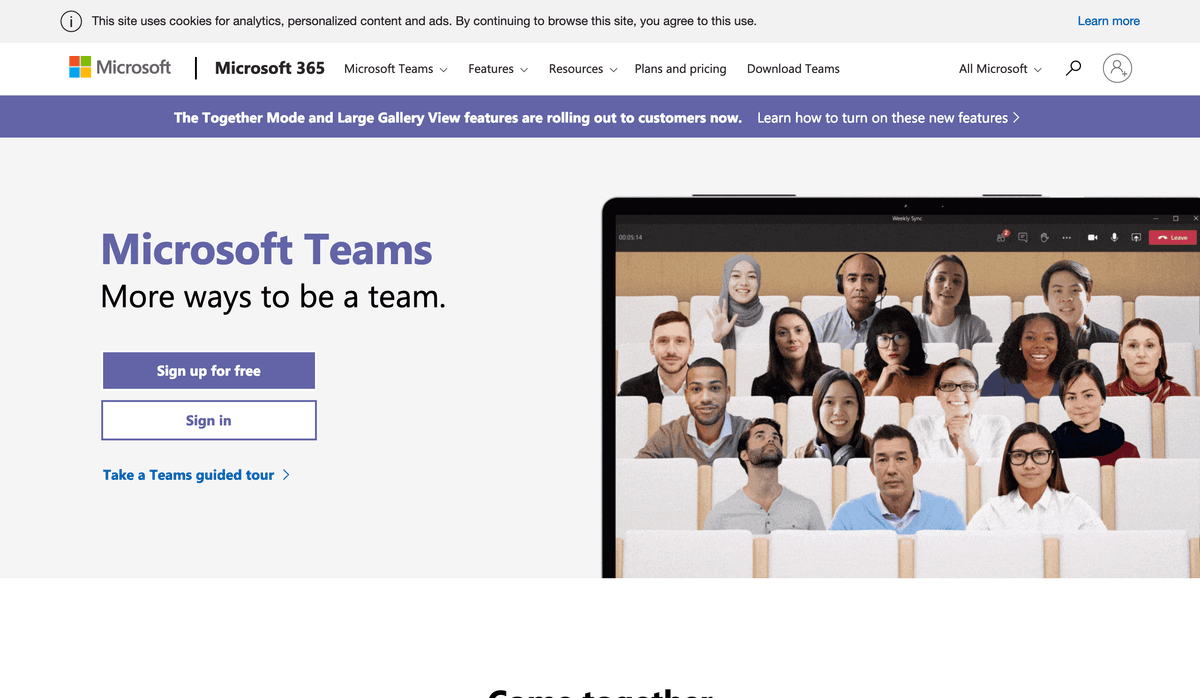
Microsoft Teams is the hub for team collaboration in Microsoft 365 that integrates the people, content, and tools your team needs to be more engaged and effective.
Microsoft Teams operations on Zapier
Triggers (7)
Start a workflow when this happens
- New Channel — Triggers when a new channel is created within a team.
- New Channel Mention — Triggers when a member or highlight word is mentioned in a channel. Requires installation of the [Zapier app](https://appsource.microsoft.com/en-us/product/office/WA200002044) from the Teams Store.
- New Channel Message — Triggers when a new message is posted in a channel. Requires installation of the [Zapier app](https://appsource.microsoft.com/en-us/product/office/WA200002044) from the Teams Store.
- New Chat — Triggers when a new chat is created.
- New Chat Message — Triggers when a new message is received in a chat.
Show 2 more triggers
- New Reply to Message — Triggers when a new reply is added to a message in a channel. Requires installation of the [Zapier app](https://appsource.microsoft.com/en-us/product/office/WA200002044) from the Teams Store.
- New Team Member — Triggers when a new member is added to a team. Requires installation of the [Zapier app](https://appsource.microsoft.com/en-us/product/office/WA200002044) from the Teams Store.
Actions (16)
Things Salesflare can make it do
- API Request (Beta) — This is an advanced action which makes a raw HTTP request that includes this integration's authentication.
- Create Channel — Creates a new channel within a team. Requires installation of the [Zapier app](https://appsource.microsoft.com/en-us/product/office/WA200002044) from the Teams Store.
- Create Chat and Send Message — Creates a new chat (one-on-one or group) and sends an initial message. If you select only yourself, no chat is created — the message is sent to your own Teams chat (shown as "(You)" in the Chat dropdown).
- Create One-on-One Chat — Creates a new one-on-one chat between you and a team member.
- Create Private Channel — Creates a new private channel within a team. Requires installation of the [Zapier app](https://appsource.microsoft.com/en-us/product/office/WA200002044) from the Teams Store.
Show 11 more actions
- Delete Chat Message — Soft-deletes a message in a chat. You can only delete messages you sent.
- Edit Chat Message — Edit an existing message in a chat.
- Reply to Channel Message — Creates a reply to a channel message.
- Send Approval Request and Wait — Posts an approval card to a chat or public channel and waits for someone to approve or decline it. Returns the decision, who responded, and any form inputs they filled in. Requires installation of the [Zapier app](https://appsource.microsoft.com/en-us/product/office/WA200002044) from the Teams Store.
- Send Bot Message — Sends a message to a public channel from the Zapier bot. Requires installation of the [Zapier app](https://appsource.microsoft.com/en-us/product/office/WA200002044) from the Teams Store.
- Send Channel Message — Sends a message to an existing channel.
- Send Chat Message — Sends a message to an existing chat.
- Send Message with Card — Sends a message with an adaptive card to a Teams chat or channel. Cards can include rich content, buttons, and interactive elements.
- Set Status — Sets your availability status.
- Update Message with Card — Updates an existing chat message that contains an adaptive card. You can replace the card, or disable its buttons to mark a decision (for example, after an approval).
- Update My Profile — Updates your profile information including name, phone numbers, about me, and birthday. Note: Phone fields require admin-approved User-Phone.ReadWrite.All permission.
Searches (6)
Look up existing records
- Find Public Channels — Finds public channels by name within a team.
- Find Team Member — Finds a team member by name or email.
- Get Channel Message — Finds a channel message by its ID within a specified team and channel and returns the message details including any attachments.
- Get Channel by ID — Finds a channel by its ID within a specified team and returns the channel details.
- Get Chat Message — Finds a chat message by its ID within a specified chat and returns the message details including any attachments.
Show 1 more searches
- Get Chat by ID — Finds a chat by its ID and returns the chat details including the member list.
Microsoft Teams operations on Make
Triggers (3)
Start a workflow when this happens
- Watch Messages — Triggers when a someone sends a message in a team's channel or in a chat.
- Watch New Replies — Triggers when a new reply to selected message is received. Not available for Personal accounts.
- Watch Teams — Triggers when a new Microsoft Team or Office 365 group is created.
Actions (18)
Things Salesflare can make it do
- Add a Member — Adds a new member.
- Add a Member to a Group — Adds a member into an Office 365 Group.
- Create a Channel — Creates a new channel in a Microsoft Team.
- Create a Team From a Group — Create Microsoft Team by calling from Office 365 Group.
- Create an Office 365 Group — Creates a new Office 365 Group.
Show 13 more actions
- Create an Online Meeting — Creates an online meeting. This will be a standalone meeting that is not associated with any event on the user's calendar; therefore, meetings created via this module will not show on the user's calendar.
- Delete a Channel — Deletes a channel from team.
- Delete a Team or Group — Deletes Microsoft Team or Office 365 Group in an organization.
- Delete an Online Meeting — Deletes an online meeting by its ID.
- Get a Channel — Retrieves the properties and relationships of a channel.
- Get a Team — Retrieves the properties and relationships of the specified Microsoft Team or Office 365 Group.
- Get an Online Meeting — Retrieves a meeting by its ID.
- Make an API Call — Performs an arbitrary authorized API call.
- Reply to a Channel Message — Creates a new reply to a message in the specified channel.
- Send a Message — Sends a message to a team's channel or to a chat.
- Update a Channel — Updates the properties of the specified channel.
- Update a Team — Updates the properties of Microsoft Team or Office 365 Group.
- Update an Online Meeting — Updates an online meeting by its ID.
Searches (5)
Look up existing records
- Get User’s Presence — Retrives a presence of selected users. Not available for Personal account.
- List All Teams & Groups — Lists all Microsoft Teams in an organization, including Office 365 Groups.
- List Channels — Lists all channels in Microsoft Team.
- List Joined Teams — Lists all Microsoft Teams that authenticated user has joined in an organization.
- Search Users — Searches for users by a filter parameter.
Screenshots
Similar apps
 Slack
Slack Platform for team communication.
 Zoom
Zoom Flexible solutions for modern team collaboration
 RingCentral
 Cloud-based communication system.
 Microsoft Outlook
 The world's most popular desktop email program
 Microsoft 365
 Complete office suite in the cloud.
 Microsoft Exchange
 Microsoft Exchange Server is a mail server and calendaring server developed by Microsoft.
Not using Salesflare yet?
Salesflare is a CRM for small and medium-sized B2B businesses — it fills itself in automatically so your team actually keeps it up to date.
Try it for free