


Zendesk and Salesflare
Web-based help desk support tool.
How to connect Zendesk
- Via Zapier — 37 operations available. Set it up ↗
- Via Make — 60 modules available. Set it up ↗
What you can automate
- When new Tag Added to Ticket in Zendesk, create task in Salesflare.
- When new Comment on Ticket in Zendesk, create internal note in Salesflare.
- When new Ticket in View in Zendesk, create task in Salesflare.
- When new Ticket in Zendesk, create task in Salesflare.
- When new Organization in Zendesk, find or create account in Salesflare.
- When new Action on Ticket in Zendesk, create task in Salesflare.
About Zendesk
Zendesk is a web-based help desk support tool that makes it simple to provide great customer support.
Features
- Email, phone, social network, and chat customer support in one support suite
- Built-in phone support to make calls from Zendesk
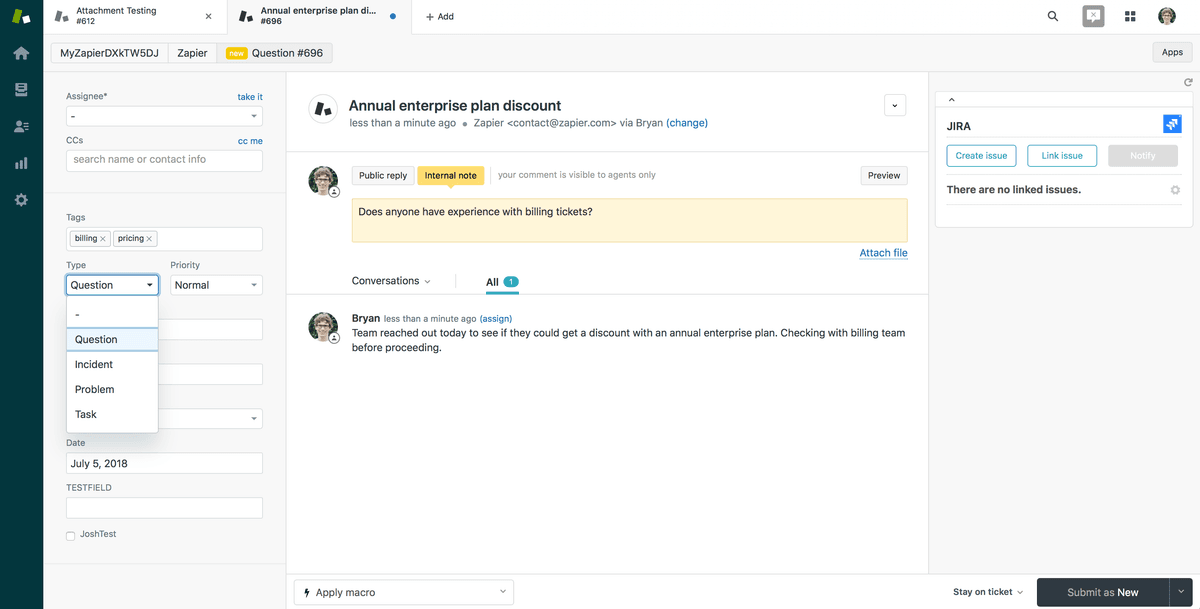
- Tabbed interface to view multiple tickets at once
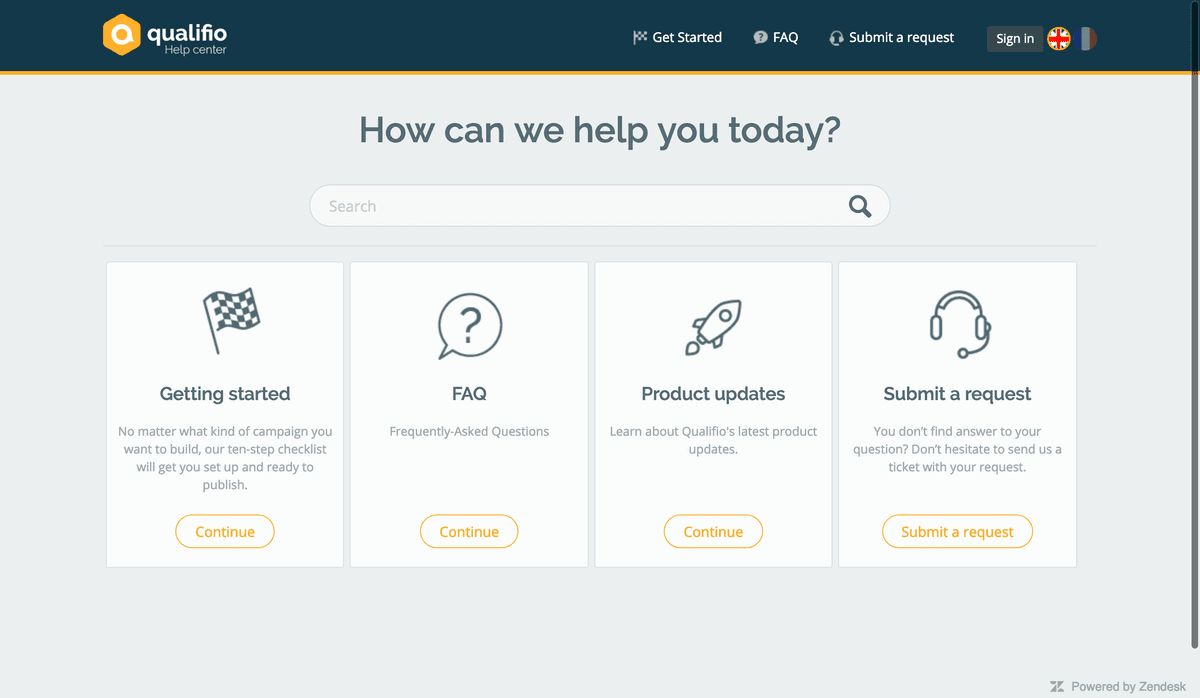
- Build a help center with documentation and a customer portal for self-service support
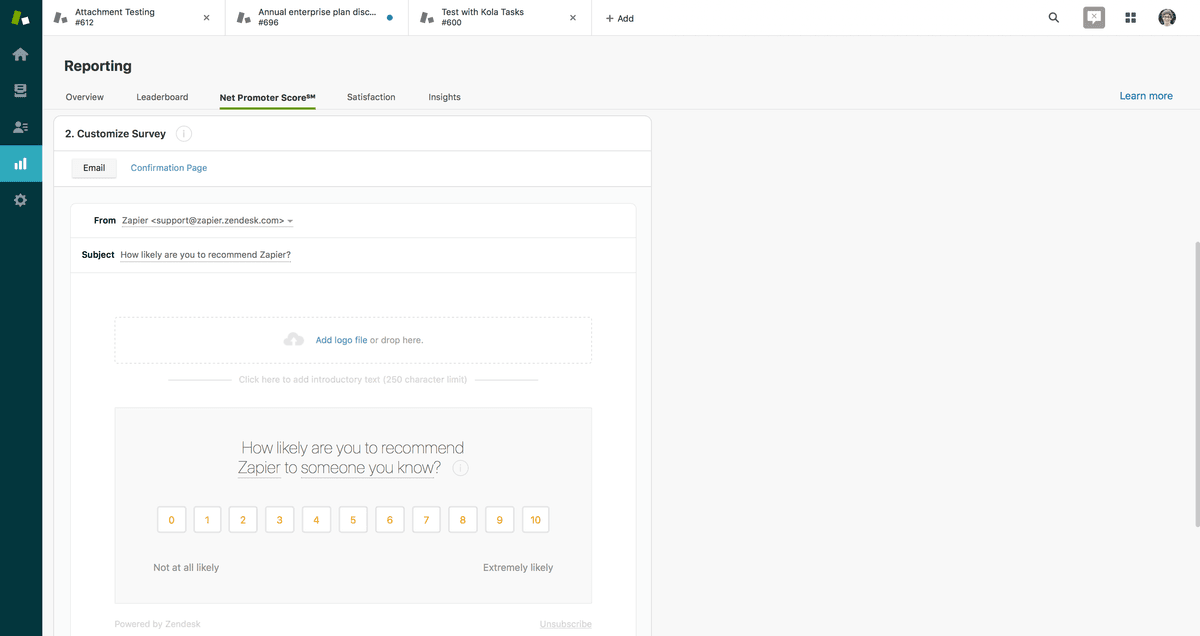
- Use Net Promoter Score surveys and AI prediction to enhance support performance
- iOS and Android apps available
Pricing
Plans start at $19/agent/month; Support/Suite pricing and AI add-ons vary by tier and agent count. Current pricing.
Zendesk operations on Zapier
Triggers (16)
Start a workflow when this happens
- Get comments for a ticket — Returns comments for a given ticket ID
- Get ticket comments from zendesk incremental stream — Bulk read enabled endpoint for Zendesk ticket comments.
- Get tickets — Bulk read enabled endpoint for Zendesk tickets.
- New Action on Ticket — Triggers when there is activity (an audit) on a specific ticket. Non-admins can only watch one ticket at a time.
- New Comment on Ticket — Triggers when a comment is added to a ticket.
Show 11 more triggers
- New Group — Triggers when a new group is created.
- New Organization — Triggers when a new organization is created.
- New Suspended Ticket — Triggers when a new suspended ticket is created in Zendesk. Note: Suspended tickets are automatically deleted after 14 days.
- New Tag Added to Ticket — Triggers when a new tag is added to a ticket.
- New Ticket — Triggers when a new ticket is created. Optionally select an organization.
- New Ticket in View — Triggers when a new ticket is added to a view.
- New User — Triggers when a new user is created.
- New View — Triggers when a new view is created.
- Tag Added to User — Triggers when a one or more tags are added to a user.
- Updated Ticket — Triggers when an existing ticket is updated.
- Updated Ticket in View — Triggers when a ticket is updated in the selected view.
Actions (14)
Things Salesflare can make it do
- API Request (Beta) — This is an advanced action which makes a raw HTTP request that includes this integration's authentication.
- Add Comment to Ticket — Add a Comment to an existing Ticket.
- Add Tag(s) to Ticket — Add one or more tags to an existing ticket.
- Attach File to Ticket — Attach a file to an existing ticket.
- Create Organization — Create a new organization.
Show 9 more actions
- Create Ticket — Create a new ticket.
- Create User — Create a new user.
- Delete User — Deletes the user and associated records from the account.
- Find or Create Organization — Finds a organization, or creates one if none are found.
- Find or Create User — Finds a user, or creates one if none are found.
- Remove Tag(s) from Ticket — Remove one or more tags from an existing ticket.
- Update Organization — Update an existing organization.
- Update Ticket — Update an existing ticket status or add comments.
- Update User — Update an existing user.
Searches (7)
Look up existing records
- Find Latest Comment — Finds the latest comment on a ticket.
- Find Ticket Comments — Finds all comments on a ticket.
- Find Tickets — Finds existing tickets. Returns multiple results as individual items.
- Find a Group — Finds an existing group.
- Find a User — Finds an existing user.
Show 2 more searches
- Find an Agent — Finds an existing agent.
- Find an Organization — Finds an existing organization.
Zendesk operations on Make
Triggers (13)
Start a workflow when this happens
- Watch Article Comments — Checks whether new comments were added to an article.
- Watch Articles — Checks whether new articles were created.
- Watch Events — Watches specific events configured by the user through Zendesk triggers or automations.
- Watch Forum Post Comments — Checks whether new comments were added to a forum post.
- Watch Forum Posts — Checks whether new forum posts were created.
Show 8 more triggers
- Watch Groups — Checks whether new groups were created.
- Watch Organizations — Checks whether new organizations were created.
- Watch Ticket Activity — Checks whether there are new audits (activity) on a ticket.
- Watch Ticket's Comments — Triggers when a new ticket's comment is created.
- Watch Tickets — Checks whether new tickets were created.
- Watch Tickets in a View — Checks whether new tickets were created in a view.
- Watch Users — Checks whether new users were created.
- Watch Views — Checks whether new views were created.
Actions (33)
Things Salesflare can make it do
- Add, Replace or Remove Tags — Adds tags or replaces existing tags of a ticket, user or organization.
- Create a Group — Creates a group.
- Create a Request — Creates a request.
- Create a Side Conversation — Creates a new side conversation by the ticket ID. This feature is only available if it has been enabled by the administrator.
- Create a Ticket — Creates a ticket.
Show 28 more actions
- Create a Ticket Comment — Creates a ticket comment.
- Create or Update a Ticket Field Option — Creates or updates a drop-down ticket field option.
- Create or Update a User — Creates a user.
- Create or Update an Organization — Creates or updates an organization.
- Delete a Group — Deletes a group.
- Delete a Suspended Ticket — Deletes a suspended ticket.
- Delete a User — Deletes a user.
- Delete an Organization — Deletes an organization.
- Get User Related Information — Retrieves information related to a user's ticket, topics, subscriptions, etc.
- Get a Group — Retrieves a group.
- Get a Side Conversation — Retrieves the details of a side conversation by its ID and the ticket ID. This feature is only available if it has been enabled by the administrator.
- Get a Suspended Ticket — Retrieves a suspended ticket.
- Get a Ticket — Retrieves a ticket.
- Get a User — Retrieves a user.
- Get an Organization — Retrieves an organization.
- Make an API Call — Performs an arbitrary authorized API call.
- Merge Tickets — Merges tickets into a single ticket.
- Permanently Delete a Ticket — Deletes a ticket permanently.
- Recover a Suspended Ticket — Recovers a suspended ticket.
- Remove a Ticket Field Option — Removes a dropdown ticket field option.
- Reply to a Side Conversation — Replies a side conversation by its ID and the ticket ID. This feature is only available if it has been enabled by the administrator.
- Soft Delete a Ticket — Soft deletes a ticket.
- Update a Group — Updates a group.
- Update a Side Conversation — Updates the state or subject of the side conversation by its ID and the ticket ID. This feature is only available if it has been enabled by the administrator.
- Update a Ticket — Updates a ticket. The update allows for adding a new comment too.
- Update a User — Updates a user.
- Update an Organization — Updates an organization.
- Upload Attachments — Uploads attachments for future use in a ticket.
Searches (14)
Look up existing records
- List Groups — Retrieves all groups.
- List Organizations — Retrieves all organizations.
- List Side Conversation Events — Retrieves a list of side conversation events on the side conversation by its ID and the ticket ID. This feature is only available if it has been enabled by the administrator.
- List Side Conversations — Retrieves a list of side conversations on the given ticket. This feature is only available if it has been enabled by the administrator.
- List Soft Deleted Tickets — Retrieves tickets that were soft deleted.
Show 9 more searches
- List Suspended Tickets — Retrieves all suspended tickets.
- List Ticket Custom Field Options — Lists the options of a ticket custom field.
- List Ticket's Comments — Retrieves comments on a ticket.
- List Tickets — Retrieves all tickets (except for archived or soft deleted tickets).
- List Users — Retrieves all users or a group's users or an organization's users.
- Search Anything — Retrieves any kind of object matching your query.
- Search Organizations — Searches for an organization that matches the specified criteria.
- Search Tickets — Searches for a ticket that matches the specified criteria. Does not list soft deleted tickets.
- Search Users — Searches for a user that matches the specified criteria.
Screenshots
Similar apps
 Intercom
 Customer communication platform.
 Helpwise
 Shared Inbox for Team Email, SMS & WhatsApp accounts
 ManyChat
 All-in-one Messenger Marketing platform.
 Freshdesk
 Online helpdesk software.
 Jira Service Management
 Jira Service Management is help desk software that enables support agents to receive, track, man…
 Front
Front Front is the AI-powered customer service platform built for collaboration that enables 9,000 bus…
Not using Salesflare yet?
Salesflare is a CRM for small and medium-sized B2B businesses — it fills itself in automatically so your team actually keeps it up to date.
Try it for free